
1. DEFINITION & VIBE: THE SOUND OF SUSPICION
The Among Us Role Reveal Sound is the sharp, atmospheric audio cue that plays at the beginning of a match in the hit game Among Us. It accompanies the visual text on screen that informs a player whether they are a “Crewmate” or an “Impostor.”
The Vibe Analysis
-
Psychological Impact: It is the ultimate “point of no return.” The sound triggers an instant adrenaline spike. For Crewmates, it’s a call to vigilance; for the Impostor, it’s a sinister “go-time” signal.
-
Acoustic Profile: It features a deep, synth-heavy swell followed by a sharp, echoing metallic “clang.” It feels cold, industrial, and deeply paranoid.
-
Best Used When: You want to reveal a secret, identify a “traitor” in a group, or mark the beginning of a high-stakes challenge in your content.
2. ORIGIN & LORE: FROM INDIE GAME TO CULTURAL PHENOMENON
-
The Source: Created by Innersloth for the 2018 game Among Us. The sound design was intended to mimic the claustrophobic tension of sci-fi horror classics like The Thing.
-
The Viral Peak: While the game launched in 2018, the sound became a global meme in late 2020. Streamers like Disguised Toast and AOC helped propel the “Impostor” sound into the mainstream.
-
Legacy: In 2026, this sound has transcended the game. It is the universal digital shorthand for “Suspicion” or “Betrayal.” Even those who have never played the game recognize the “Shhh!” and the subsequent role reveal chime.
3. VIRAL EDITING MASTERCLASS: CREATIVE COACHING
To make your edits stand out, don’t just “drop” the sound—integrate it.
The Golden Timing
The sound works best with a Hard Cut. The visual reveal must hit exactly on the first peak of the audio swell (the 0.5s mark).
3 Practical Scenarios
-
The Gaming “Throw”: In a Battle Royale or MOBA, when a teammate accidentally (or “accidentally”) kills you, cut to a black screen with the text “IMPOSTOR” and play the sound.
-
The Daily Vlog Betrayal: If your friend eats the last slice of pizza you specifically saved, zoom in on their face in slow-motion and trigger the role reveal sound.
-
Storytelling/TikTok: Use it to debunk a lie. If someone says “I didn’t do it,” and you show a screenshot proving they did, the sound acts as the “Gotcha” moment.
Pro Editor Tips
-
Visual Shake: Add a 5-frame directional shake or a slight “Red Tint” (RGB Shift) the moment the sound hits.
-
Audio Gain: This sound has high dynamic range. Set your Gain to -3dB to ensure it’s punchy without clipping the audio for mobile users.
-
Reverb Tail: If ending a video, add a Large Hall Reverb to the final clang to let the suspicion linger in the viewer’s mind.
4. MULTI-PLATFORM TECHNICAL GUIDE
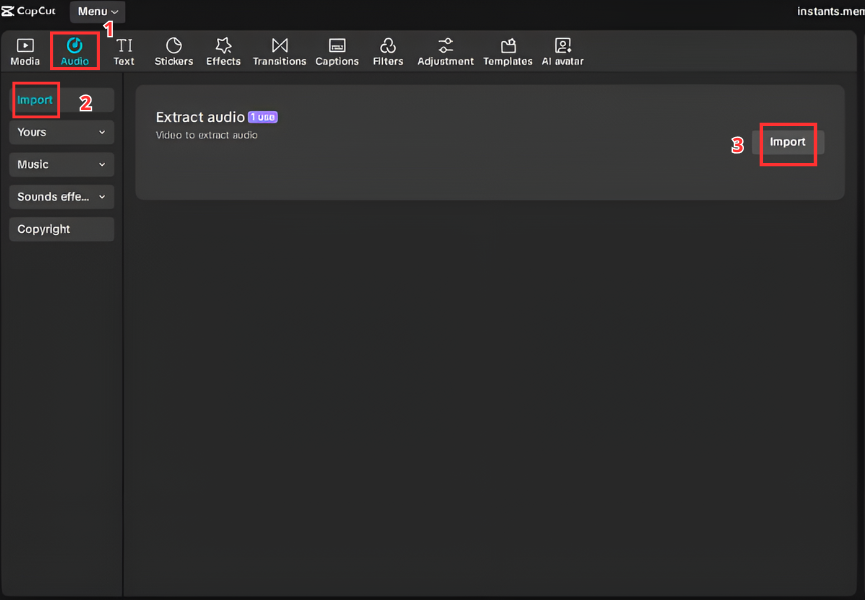
A. For Video Editors (CapCut & Premiere Pro)
-
Import your
.mp3or.wavfile to the media bin. -
Identify the “Peak” in the waveform (the highest spike).
-
Align this spike with the first frame of your “Reveal” text or image.
-
Apply a “Fade Out” of 0.2s at the end to avoid a harsh audio pop.
B. For Streamers & Gamers (Discord & OBS)
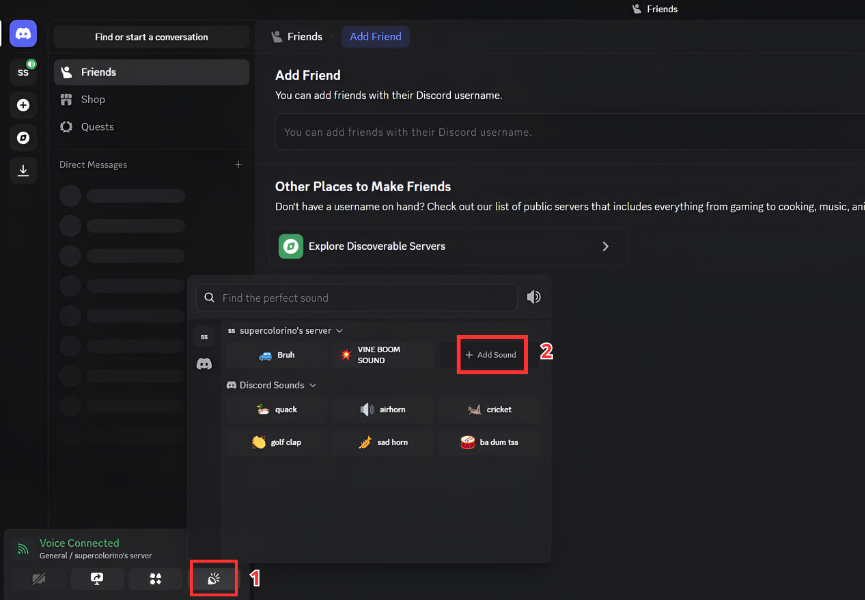
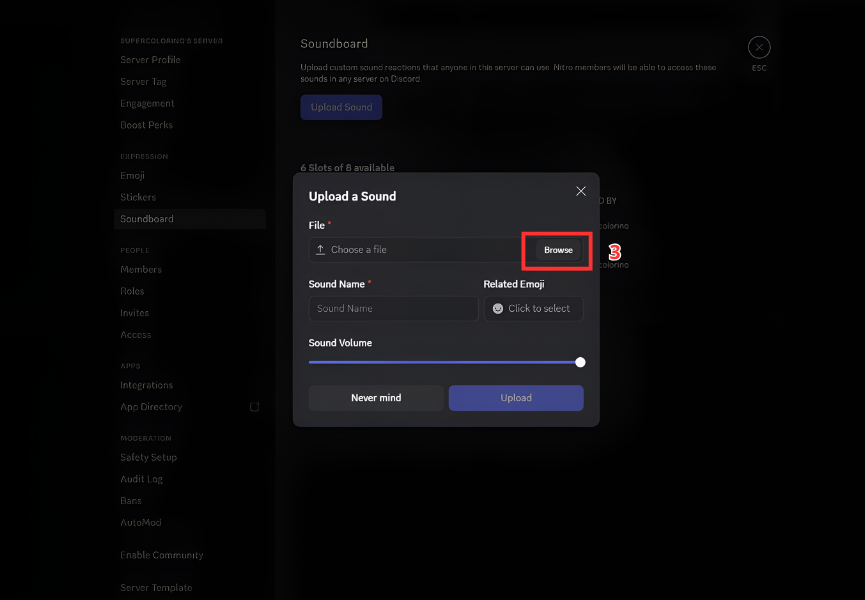
-
Discord: Go to User Settings > Soundboard > Upload. Assign it to a keybind like
Ctrl + Alt + I. -
OBS Studio: Add a “Media Source.” Go to Settings > Hotkeys. Find your source and set a key to “Restart.” This allows you to “Spam” the sound whenever someone acts Sus in chat.
C. For Mobile (Ringtones & Alerts)
-
Android: Move the file to the
Internal Storage/Ringtonesfolder. Select it in Sound Settings. -
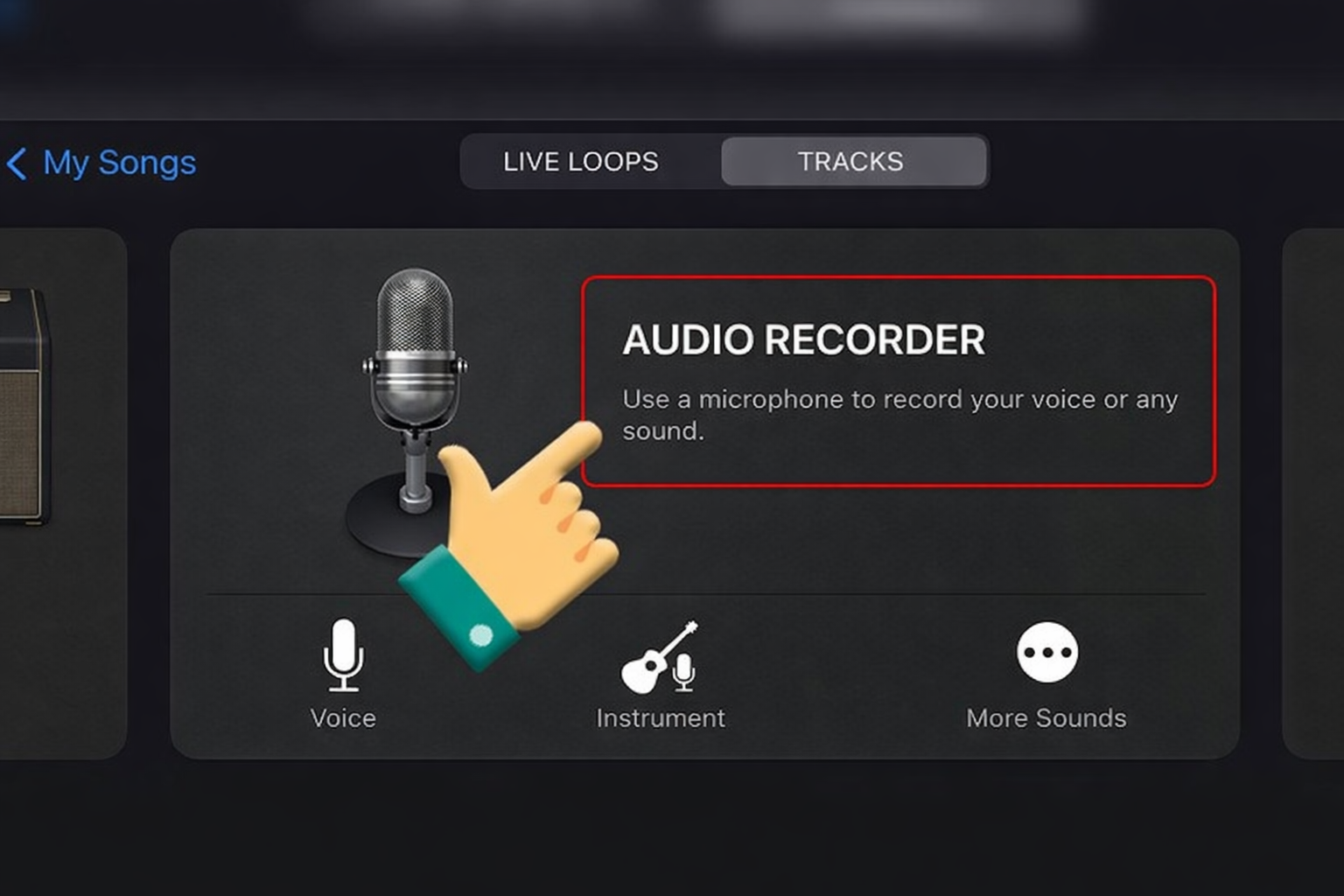
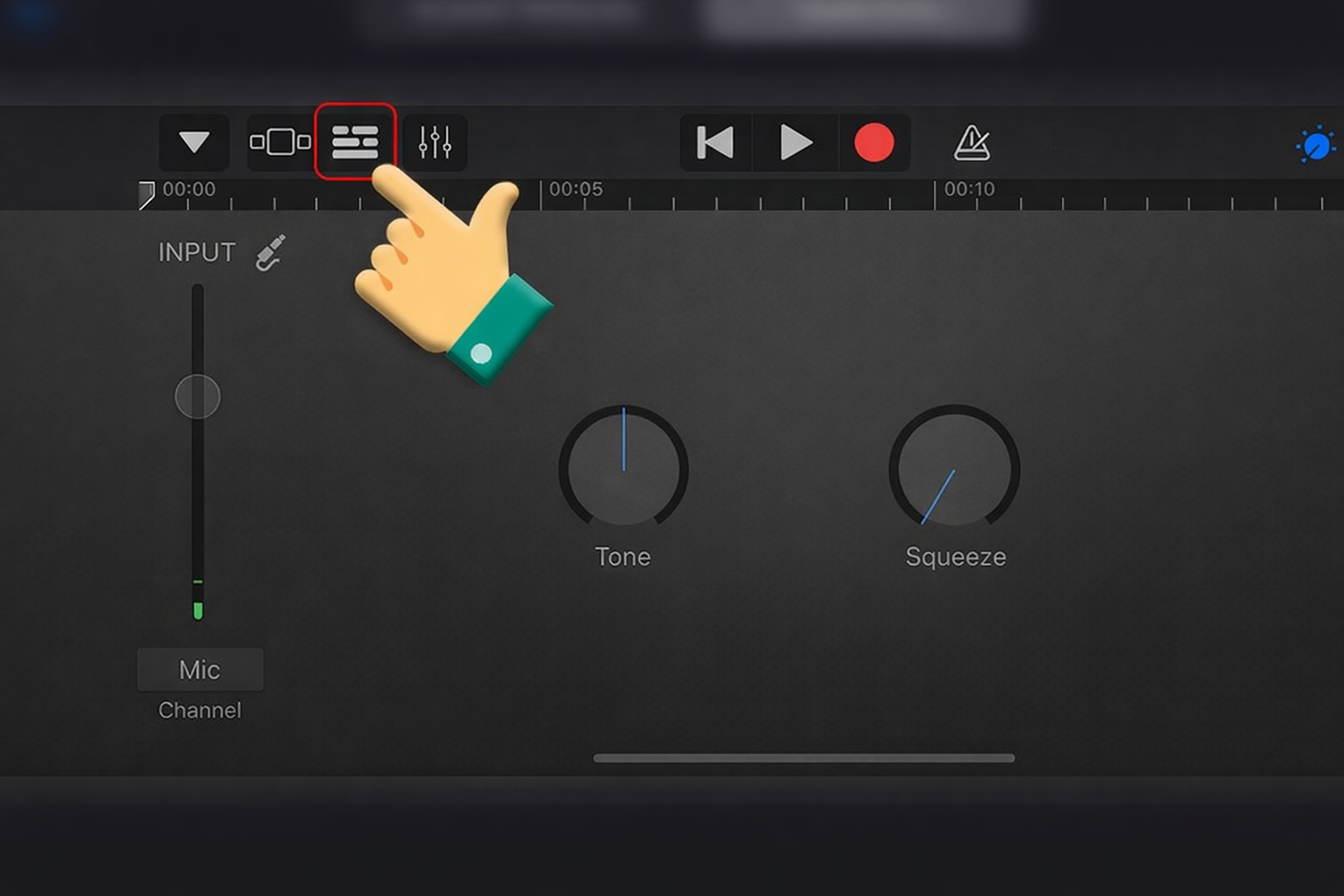
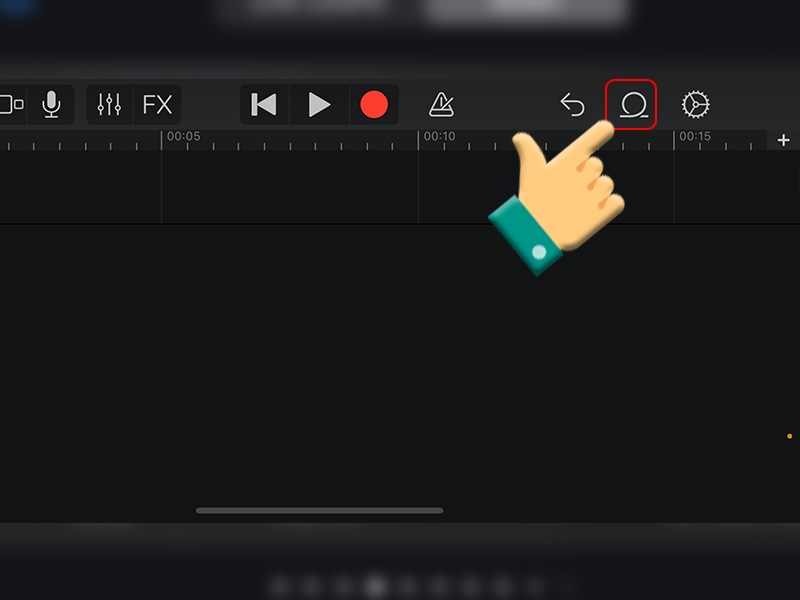
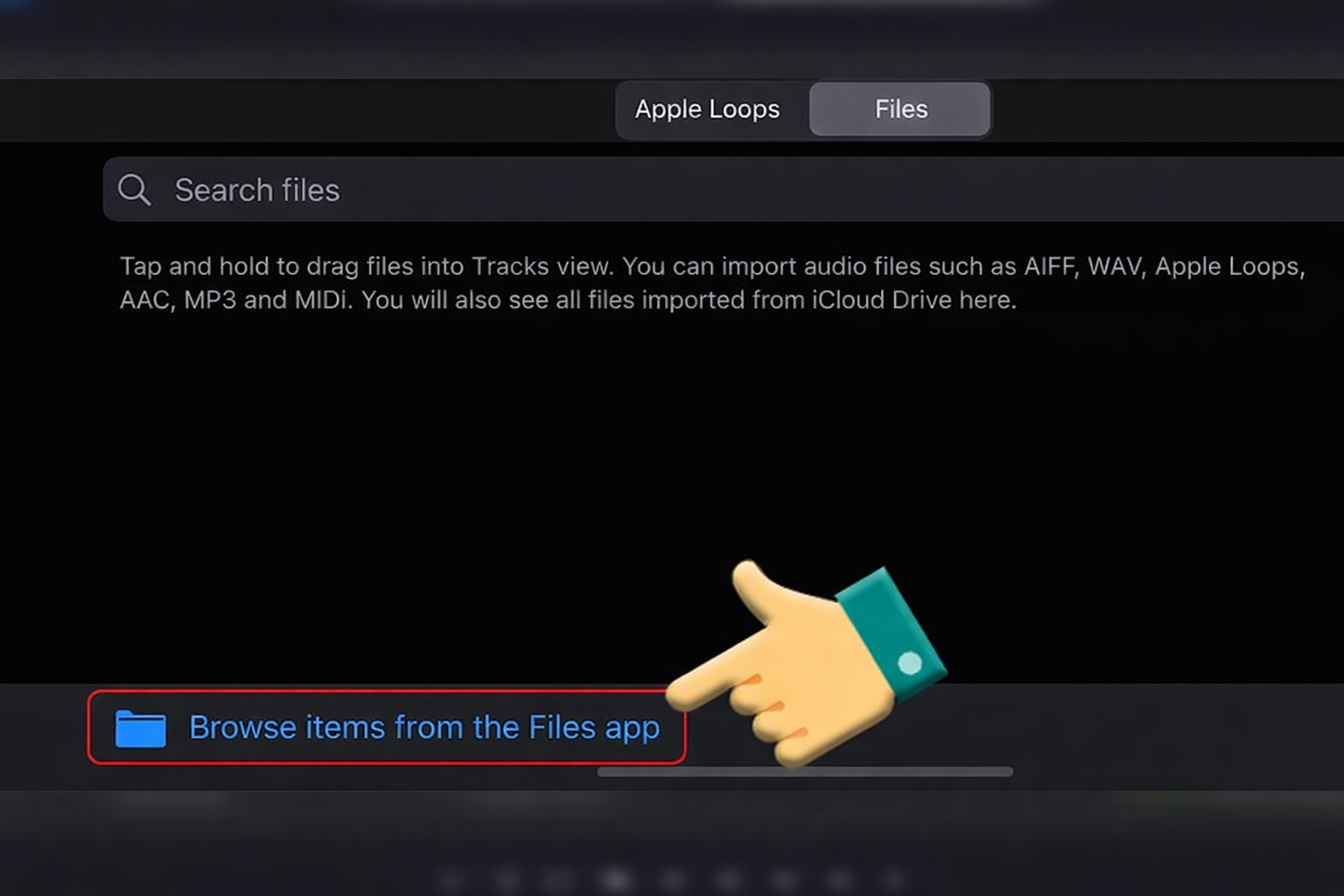
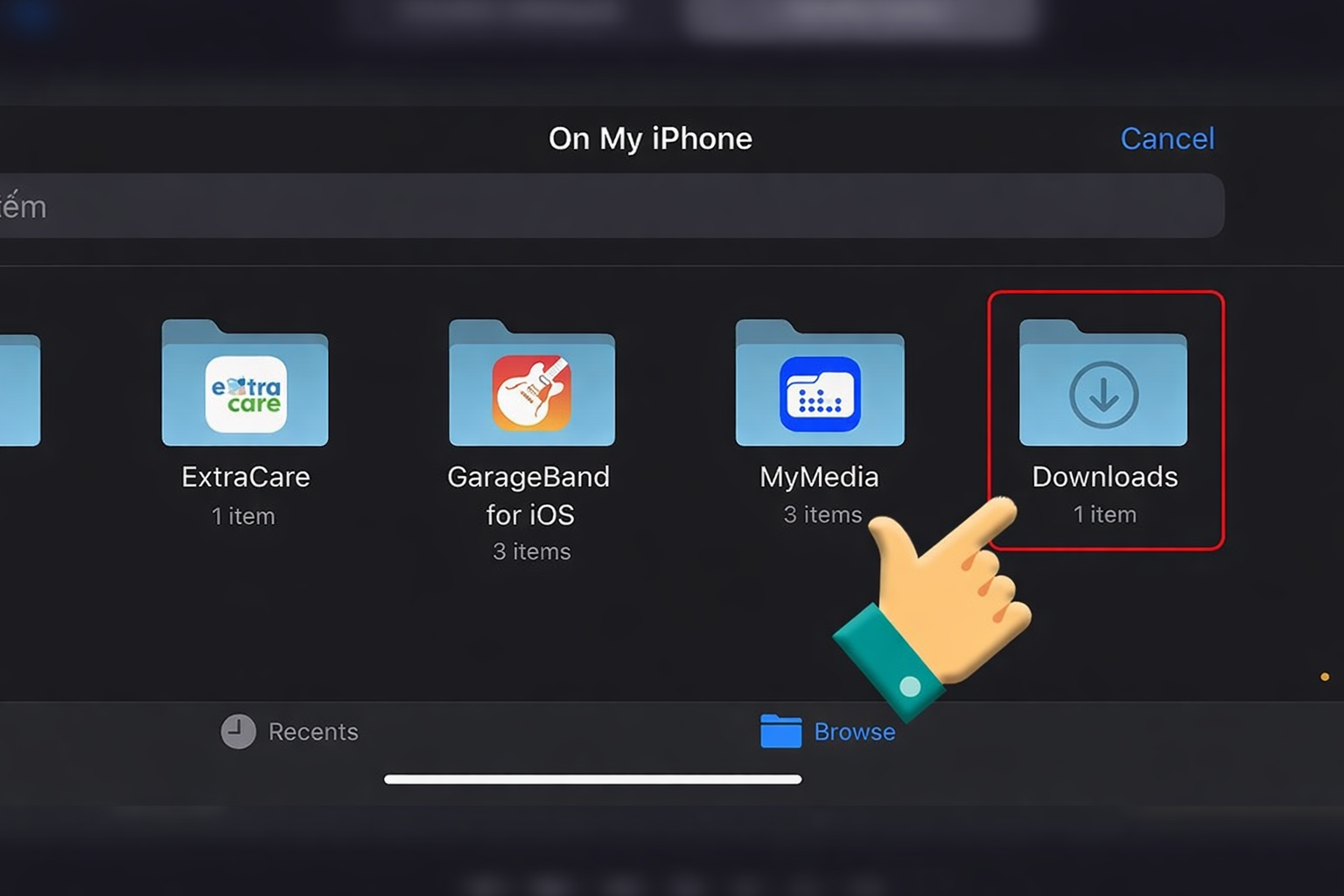
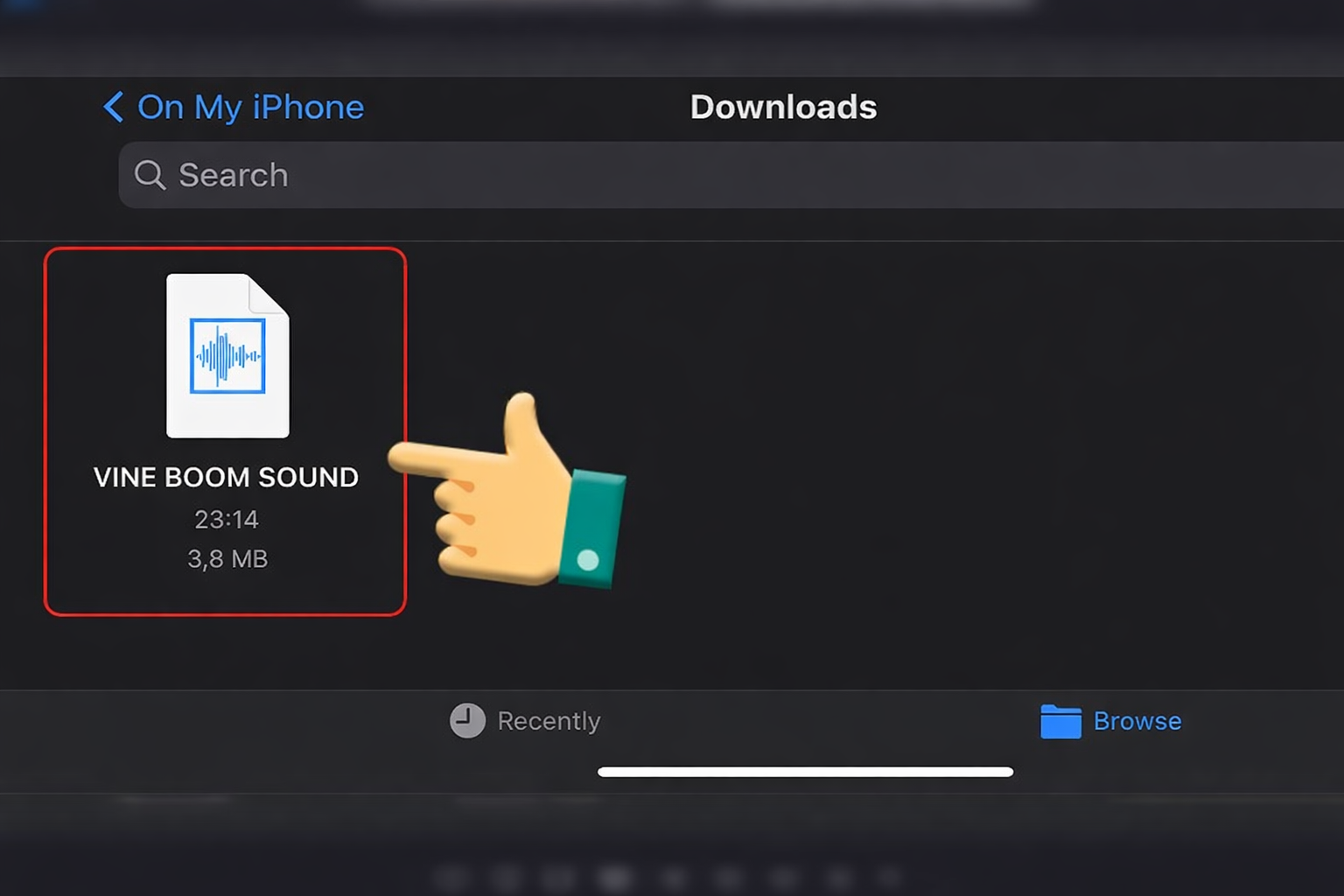
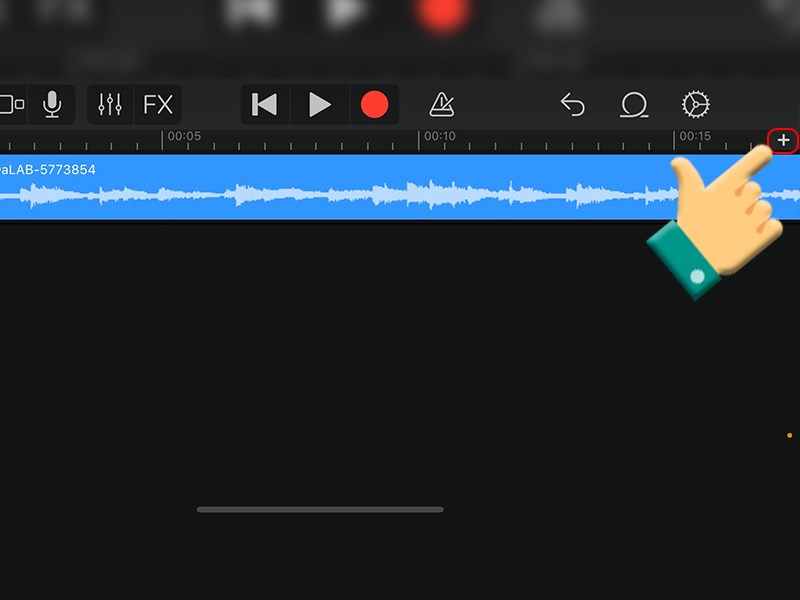
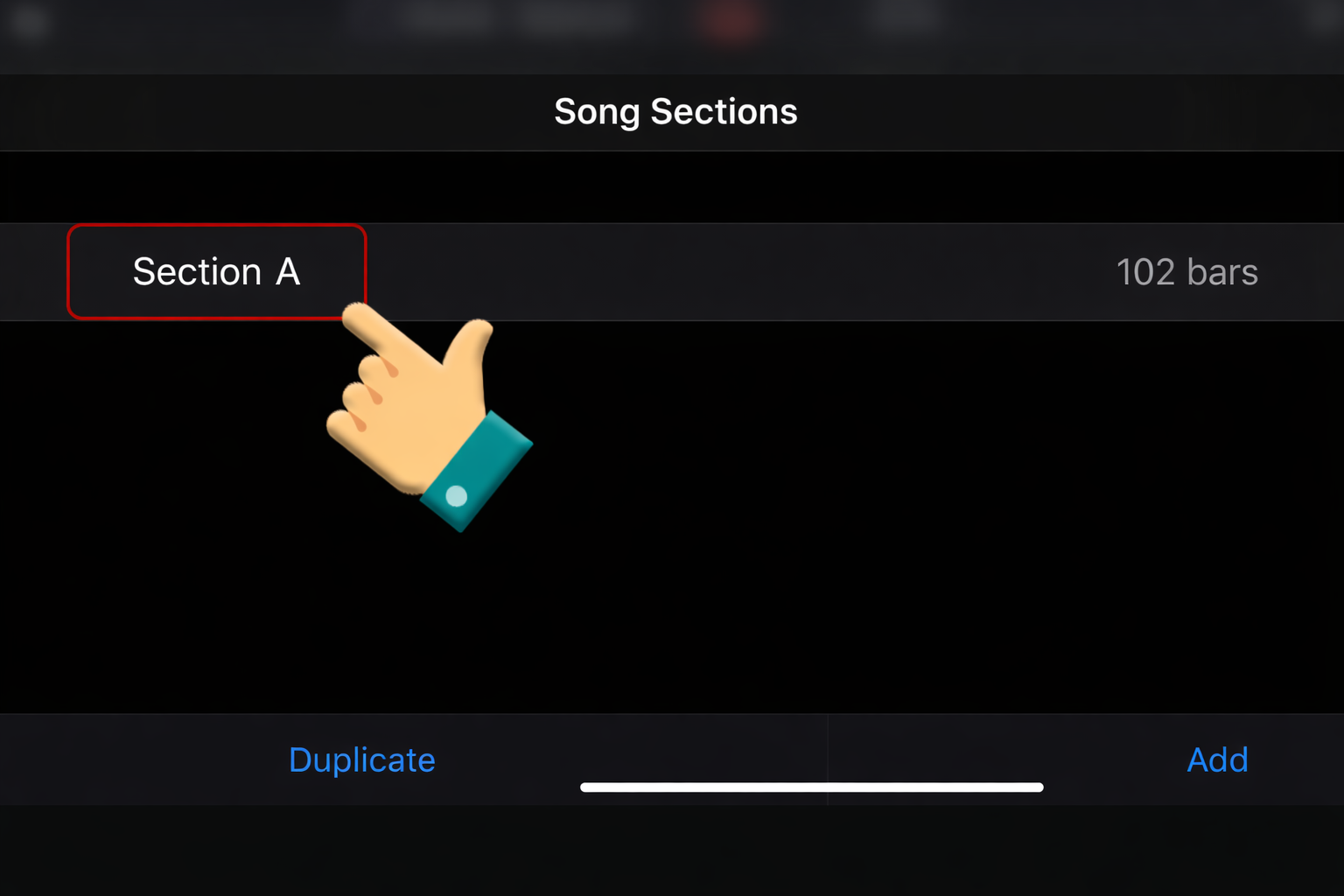
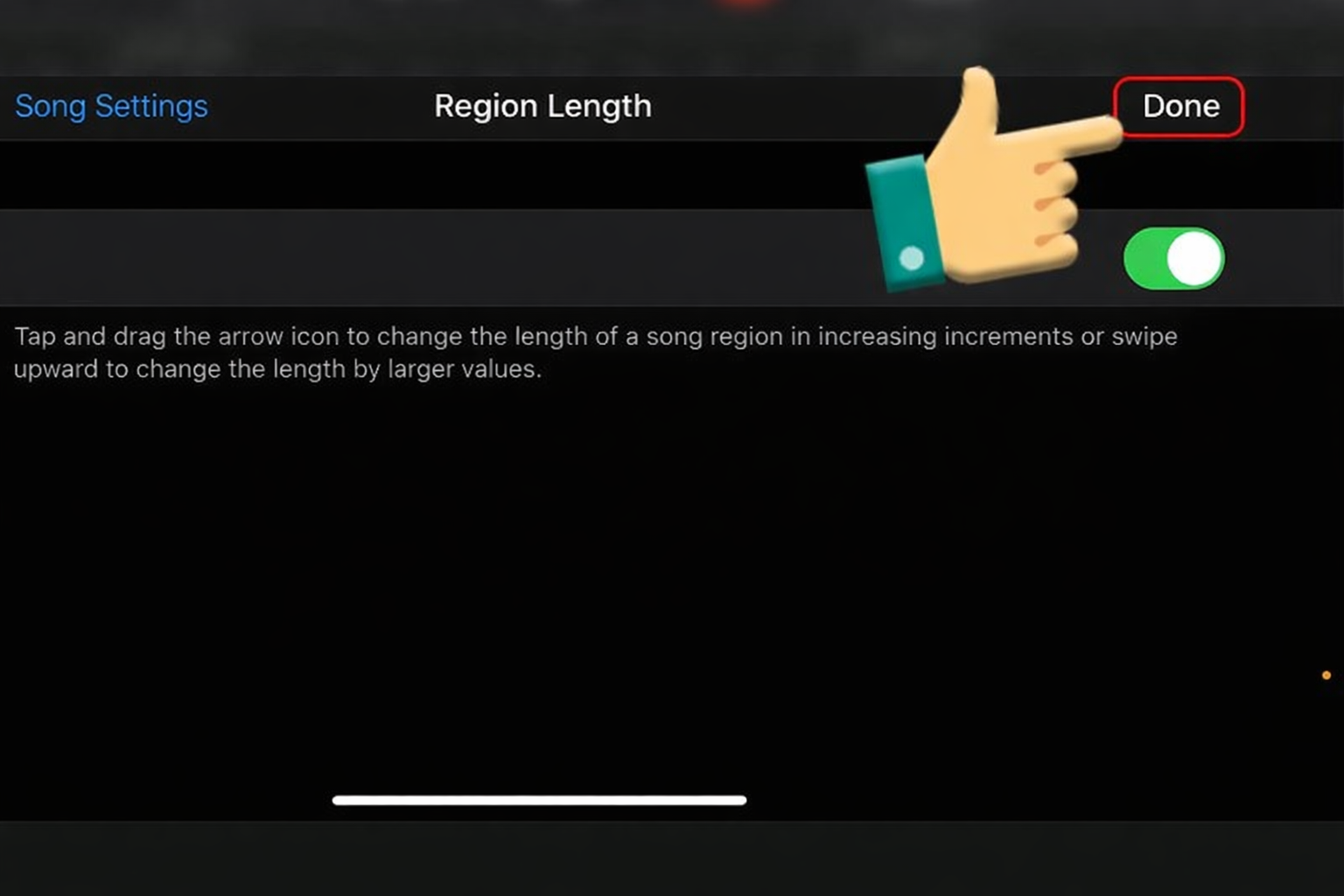
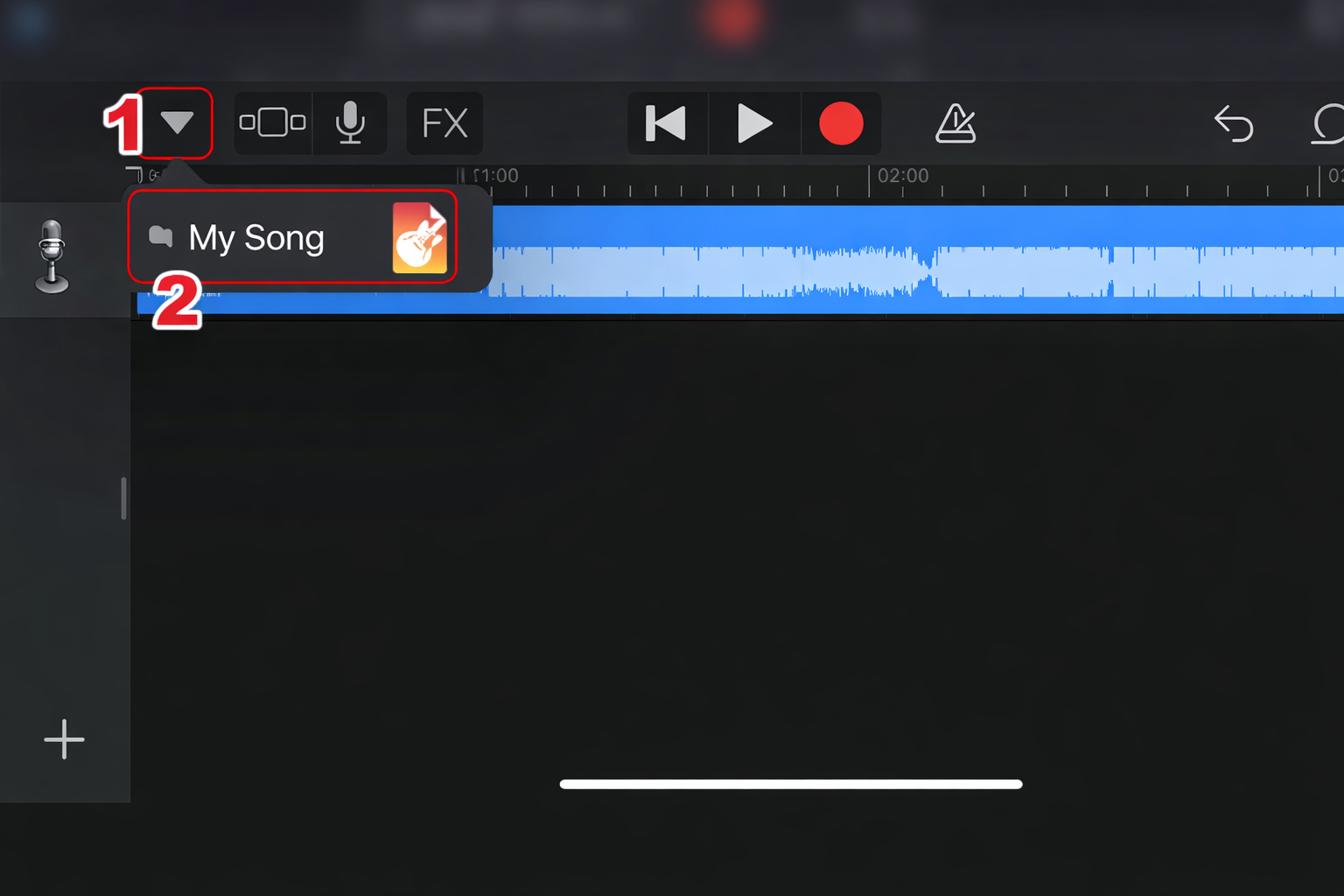
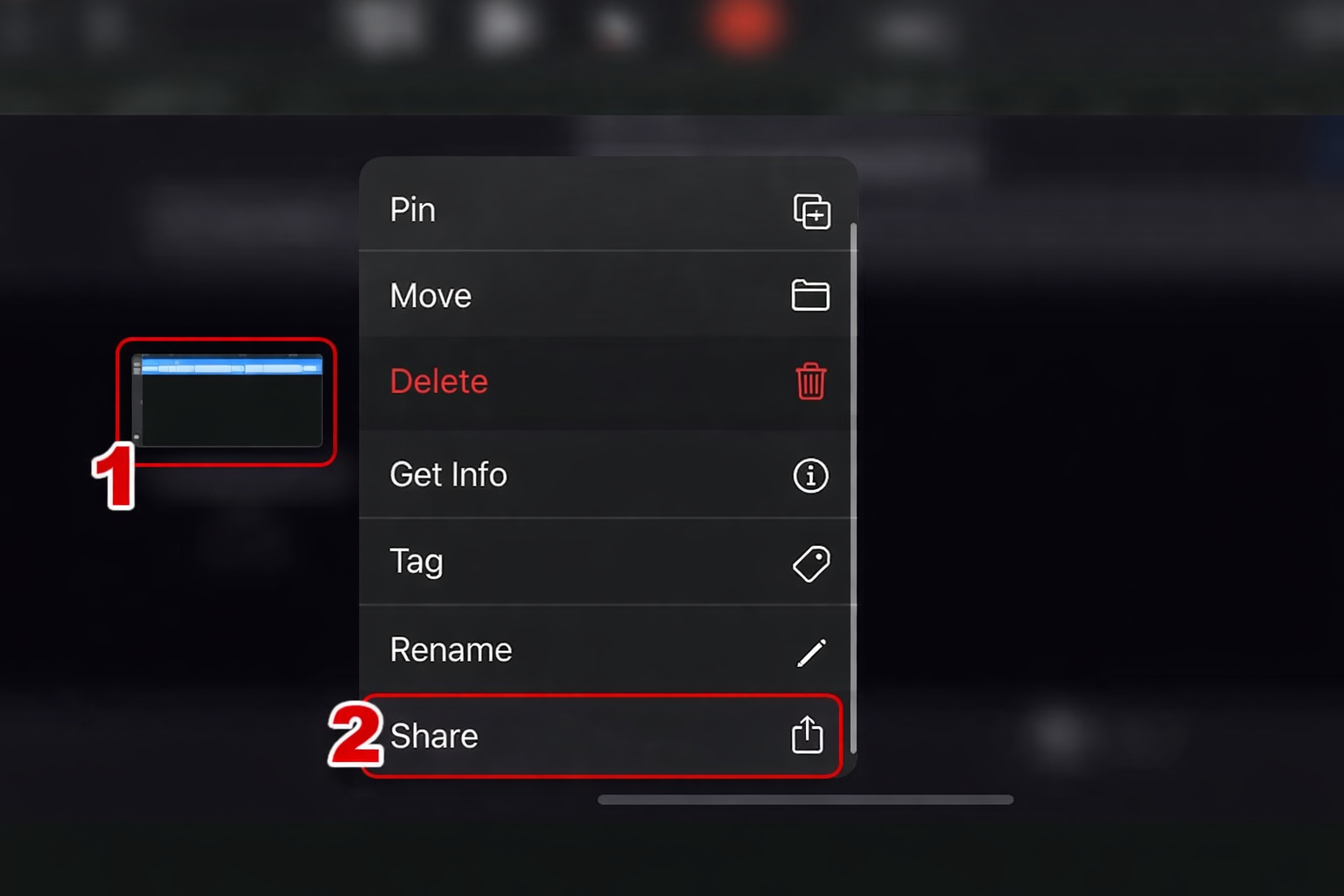
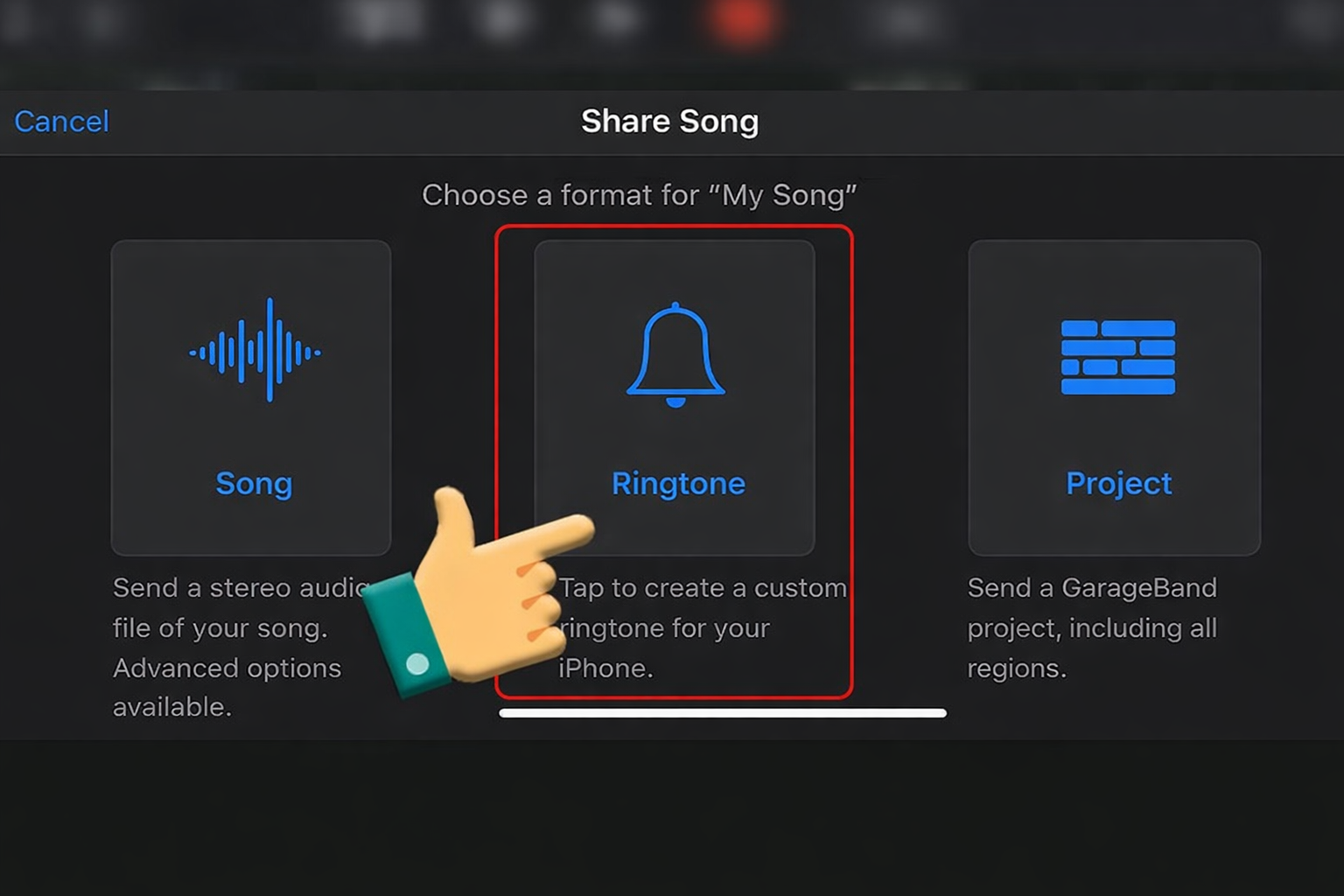
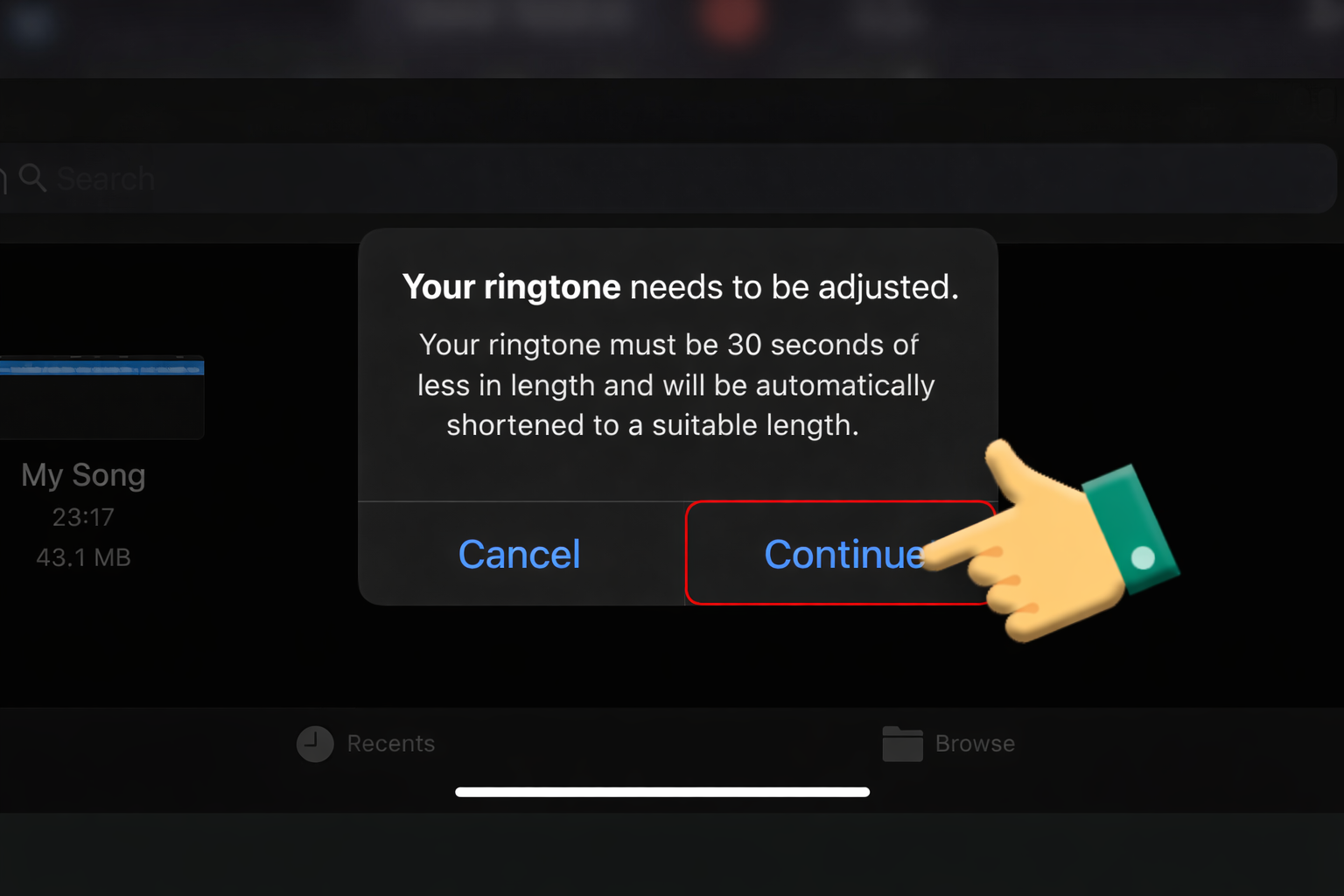
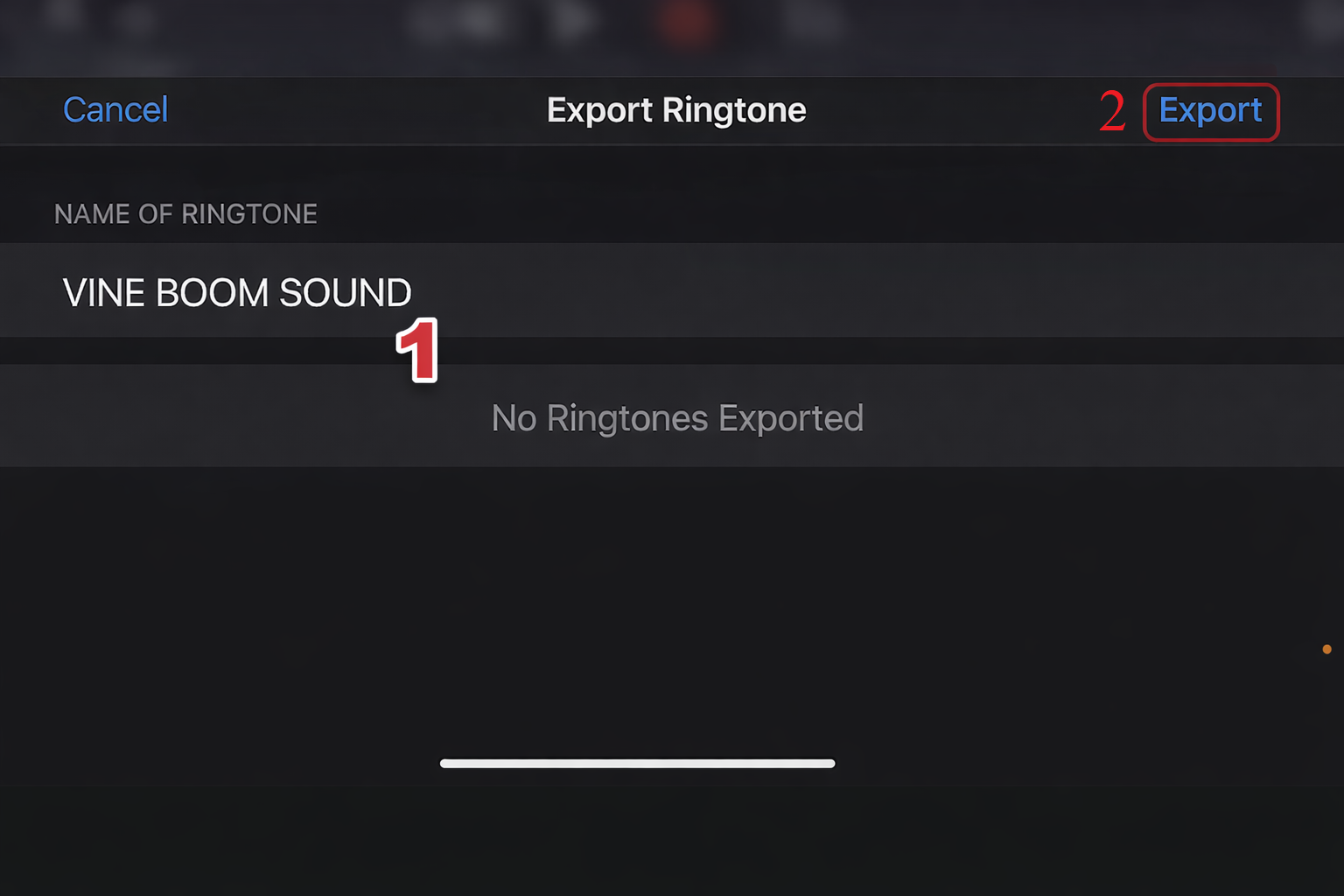
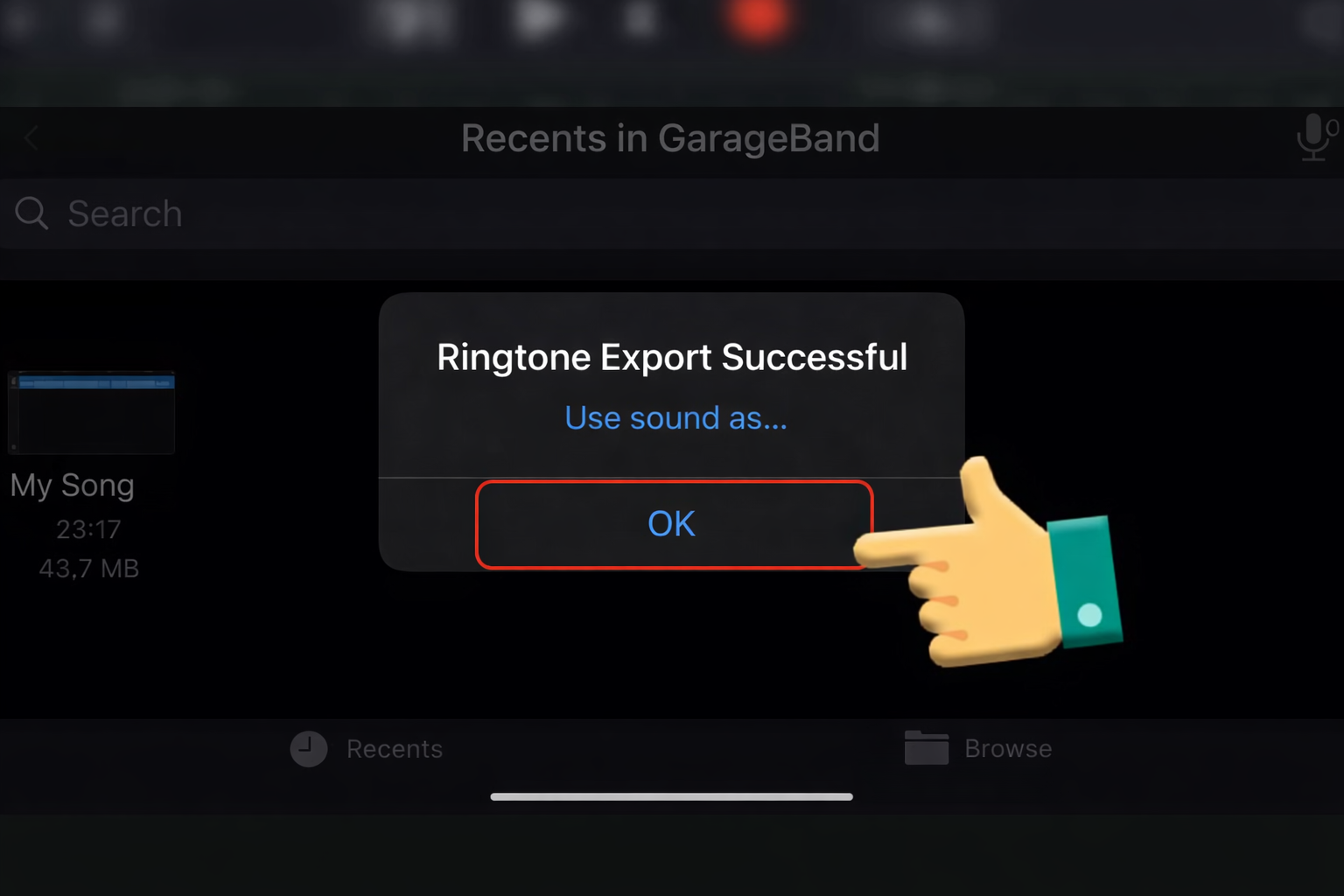
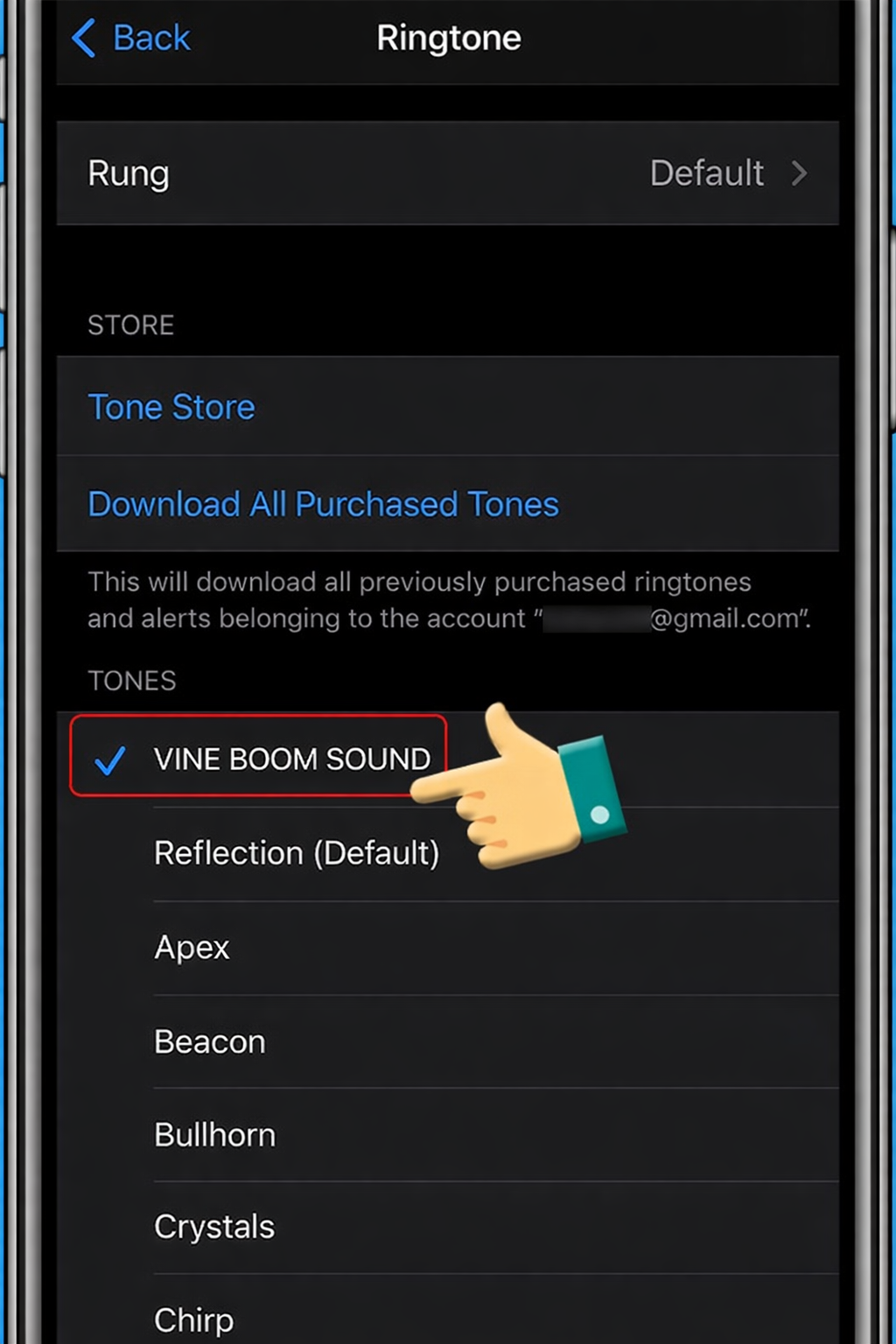
iPhone: Import the sound into GarageBand, trim it to 2 seconds, and “Share as Ringtone.” It makes for an iconic (and slightly stressful) notification sound.
5. VARIATIONS & REMIXES
| Variation | When to Use |
| Bass Boosted | For “Deep Fried” memes or extremely chaotic/ironic situations. |
| High Pitch | When the “Impostor” is someone cute, small, or harmless-looking. |
| Slowed + Reverb | For “Liminal Space” videos or when a betrayal is actually sad. |
6. FAQ: RICH SNIPPETS
Is the Among Us sound copyrighted?
Innersloth is generally supportive of fan content and “Fair Use” in memes/streaming. However, avoid using it in commercial advertisements or TV shows without a license.
What is the best file format for Soundboards?
Use .mp3 (320kbps) for a balance of quality and fast loading, or .wav if you are doing professional video mastering.
What other sounds go well with this?
The “Among Us Sabotage” alarm and the “Emergency Meeting” buzzer are perfect companion sounds for a full “Sus” themed edit.