
1. DEFINITION & VIBE: THE SOUND OF PURE AMUSEMENT
The Anime Wow sound (often referred to as the “Fairy Tail Wow” or “Eddy Wally Wow”) is a short, upbeat vocal clip of a man saying “Wow!” in a distinctly theatrical, bright, and slightly nasally tone.
The Vibe Analysis
-
The Energy: It is the “Golden Standard” for wholesome (or ironically wholesome) surprise. It feels lighthearted, satirical, and instantly recognizable.
-
The Psychological Hook: It serves as a “soft landing” for a joke. Unlike a loud jump-scare, the “Wow” tells the audience: “Something cool (or stupidly simple) just happened.”
-
When to use it: It’s best used when a character shows off a “skill” that isn’t actually impressive, or when something genuinely cute happens on screen.
2. ORIGIN & LORE: THE LEGEND OF EDDY WALLY
-
The Source: Contrary to its name, the sound didn’t originate in an anime. It features the voice of the late Belgian singer and entertainer Eddy Wally. The clip was taken from a video where he exclaims “Wow!” while looking at the camera.
-
The Viral Spark: It became an “Anime” meme when editors began pairing it with sparkling eyes, rosy cheeks, and dramatic visual effects common in Shonen and Shoujo anime.
-
Cultural Status: By 2026, it is a hall-of-fame meme. It transitioned from YouTube “Poop” videos to a fundamental building block of the “MLG” era and now to the “Clean Aesthetic” edits on TikTok and Reels.
3. VIRAL EDITING MASTERCLASS: CREATIVE COACHING
To master the “Anime Wow,” you must treat it like a punctuation mark.
The Golden Timing
The “Wow” should trigger exactly when the visual highlight appears—usually when eyes widen or a “sparkle” effect is added. The audio peak is at the very beginning of the word, so there is zero delay needed.
3 Practical Scenarios
-
Gaming (The Lucky Play): When you land a skill shot not by skill, but by pure luck. Transition the screen to a warm, glowing filter as the “Wow” plays.
-
Daily Vlog (The Aesthetic Reveal): When you show a finished meal, a clean room, or a sunset. It adds a layer of self-aware irony to the “perfect” lifestyle.
-
TikTok/Storytelling (The Bad Gift): When someone shows you something terrible, but you have to pretend it’s great. Use the “Wow” to represent the fake enthusiasm.
Pro Editor Tips
-
Visual Sparkles: Sync the sound with a “Star” or “Sparkle” overlay. Keyframe the size of the sparkles to grow exactly with the “W-o-w” vocal.
-
Pitch Shifting: Raise the pitch by +2 semitones to make it sound even more like a “Chibi” anime character.
-
High-Pass Filter: Apply a High-Pass filter at 500Hz to remove the “muffled” basement feel of the original recording, making it sound “sharper” for mobile speakers.
4. MULTI-PLATFORM TECHNICAL GUIDE
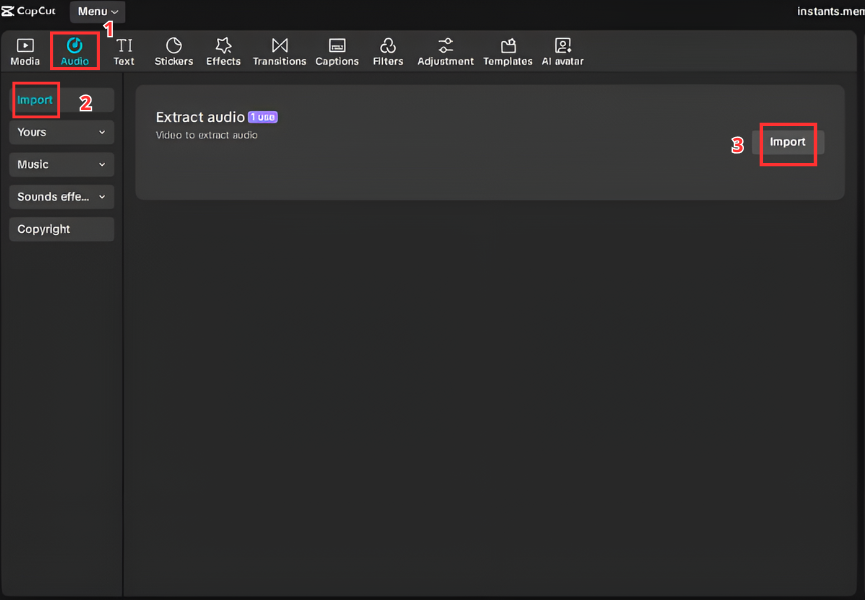
A. For Video Editors (CapCut & Premiere)
-
Place the
Anime_Wow.mp3on a dedicated SFX track. -
Align the start of the audio clip with the “Impact Frame.”
-
Premiere Pro Tip: Use the “Essential Sound” panel to tag it as “SFX” and enable “Auto-Ducking” so it lowers the background music slightly when the “Wow” hits.
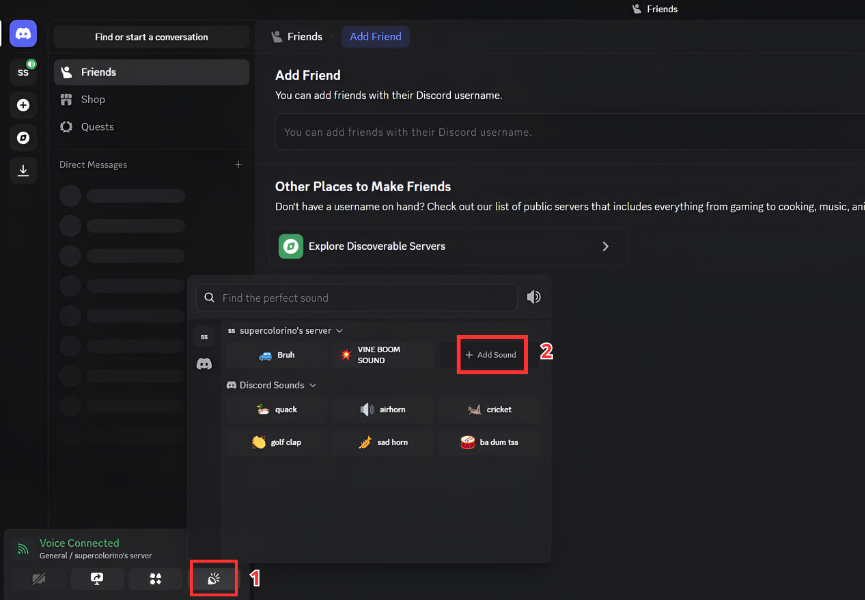
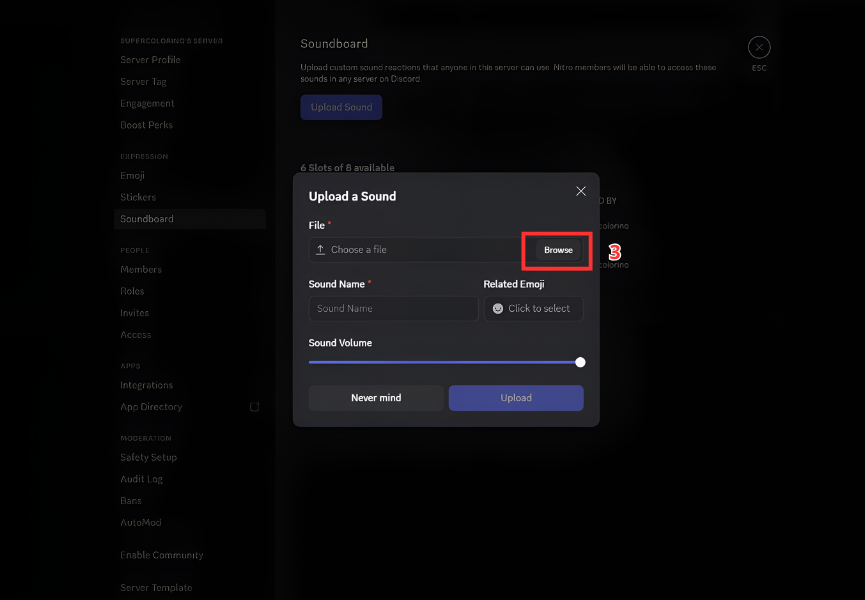
B. For Streamers & Gamers (Discord & OBS)
-
Discord: Upload to your Server Soundboard. Assign it a “Spam-proof” hotkey (e.g.,
Alt + W). Use it whenever someone gets a “Shiny” Pokémon or a rare drop. -
OBS Studio: Set it as a “Source.” Use the Move Transition plugin to make your webcam “zoom in” slightly every time you press the “Wow” hotkey.
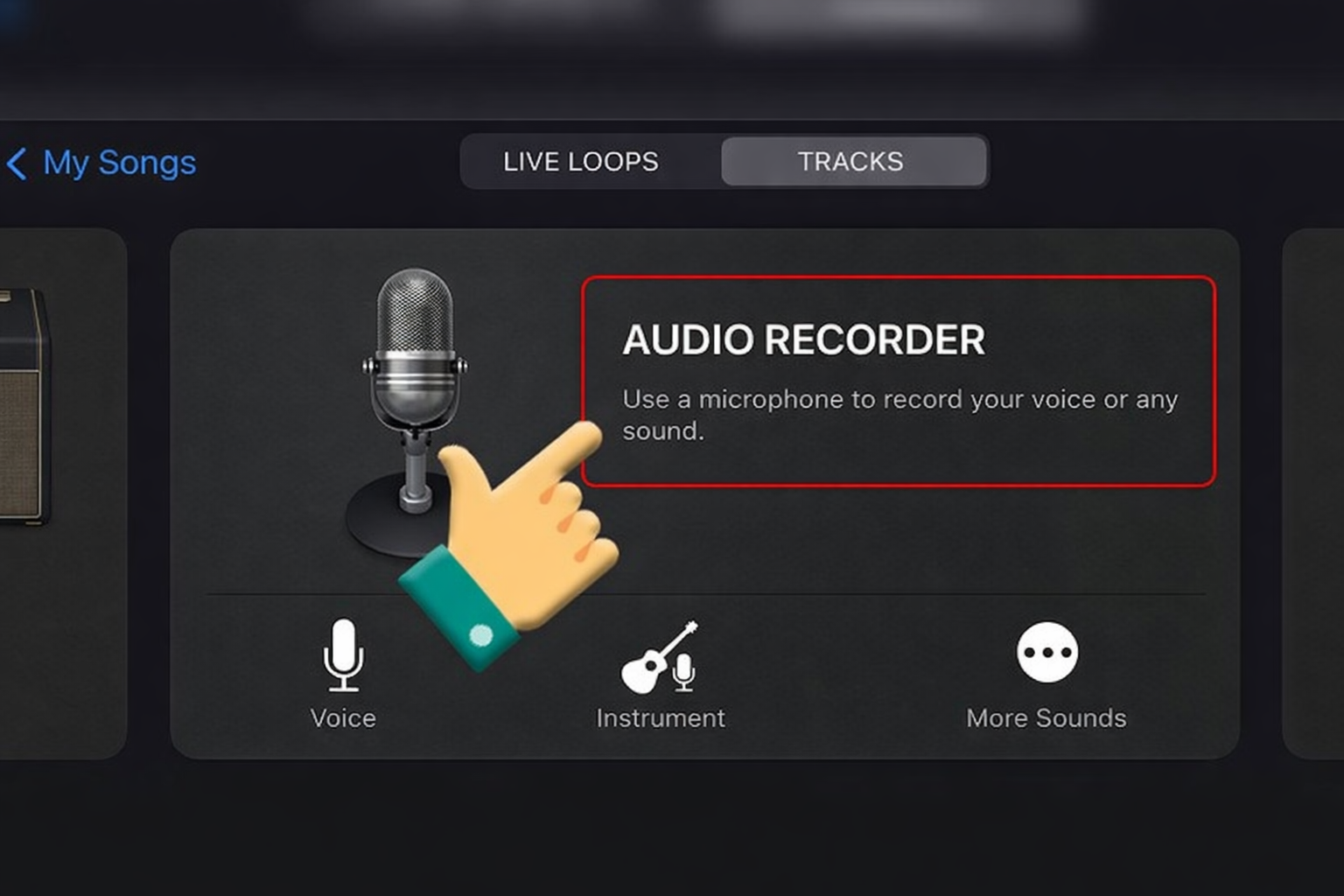
C. For Mobile (Ringtones & Alerts)
-
Android: Settings > Sounds > Notification Sound > Custom. It’s the perfect non-intrusive alert for DMs.
-
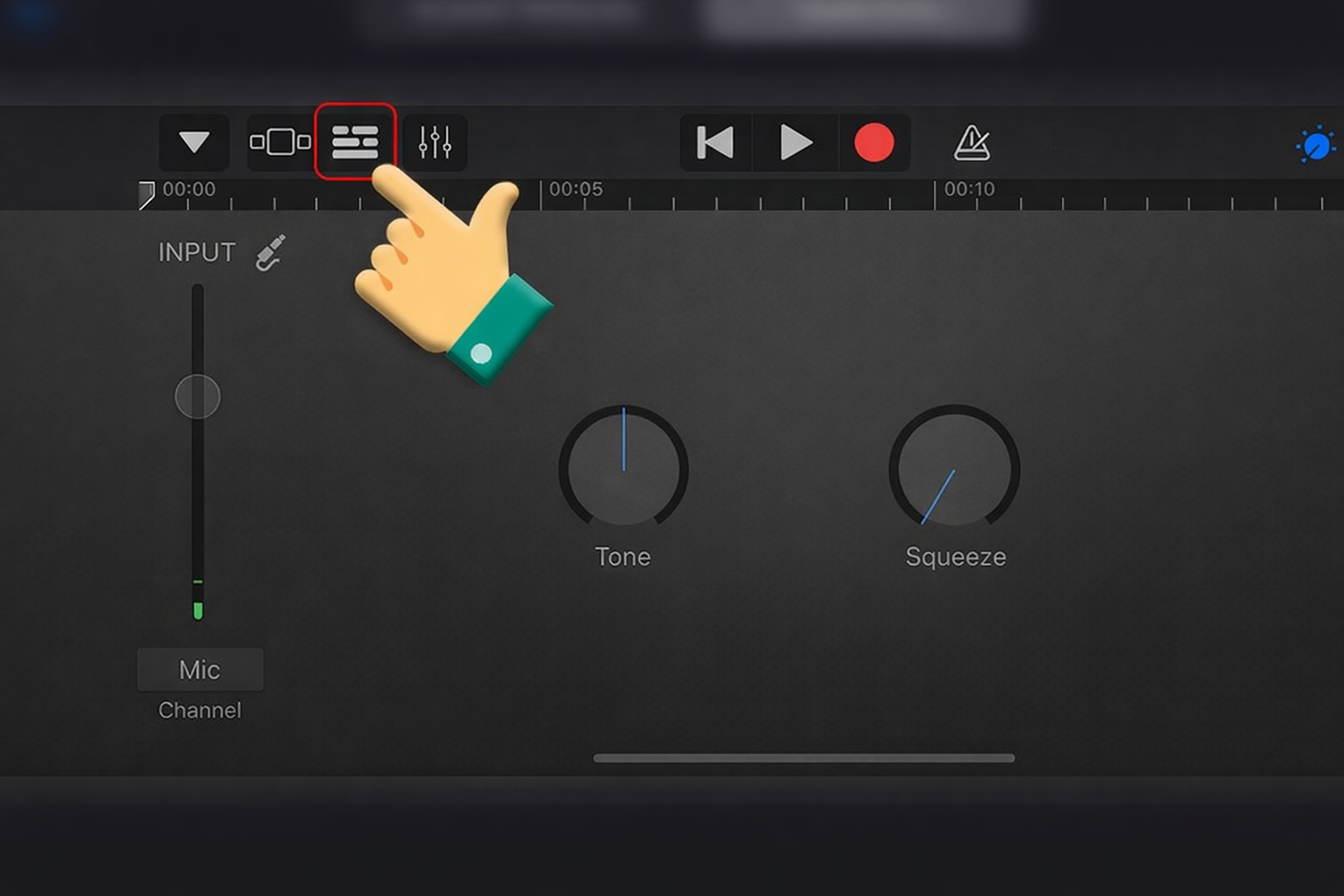
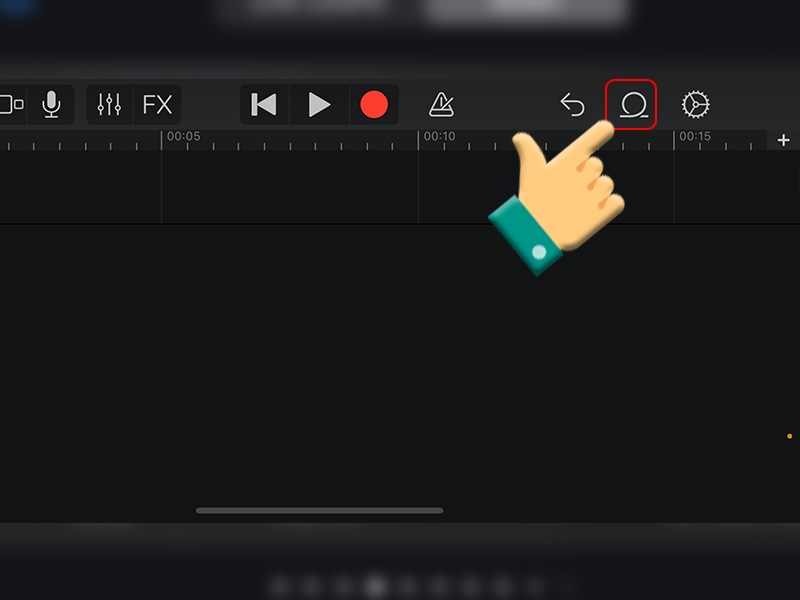
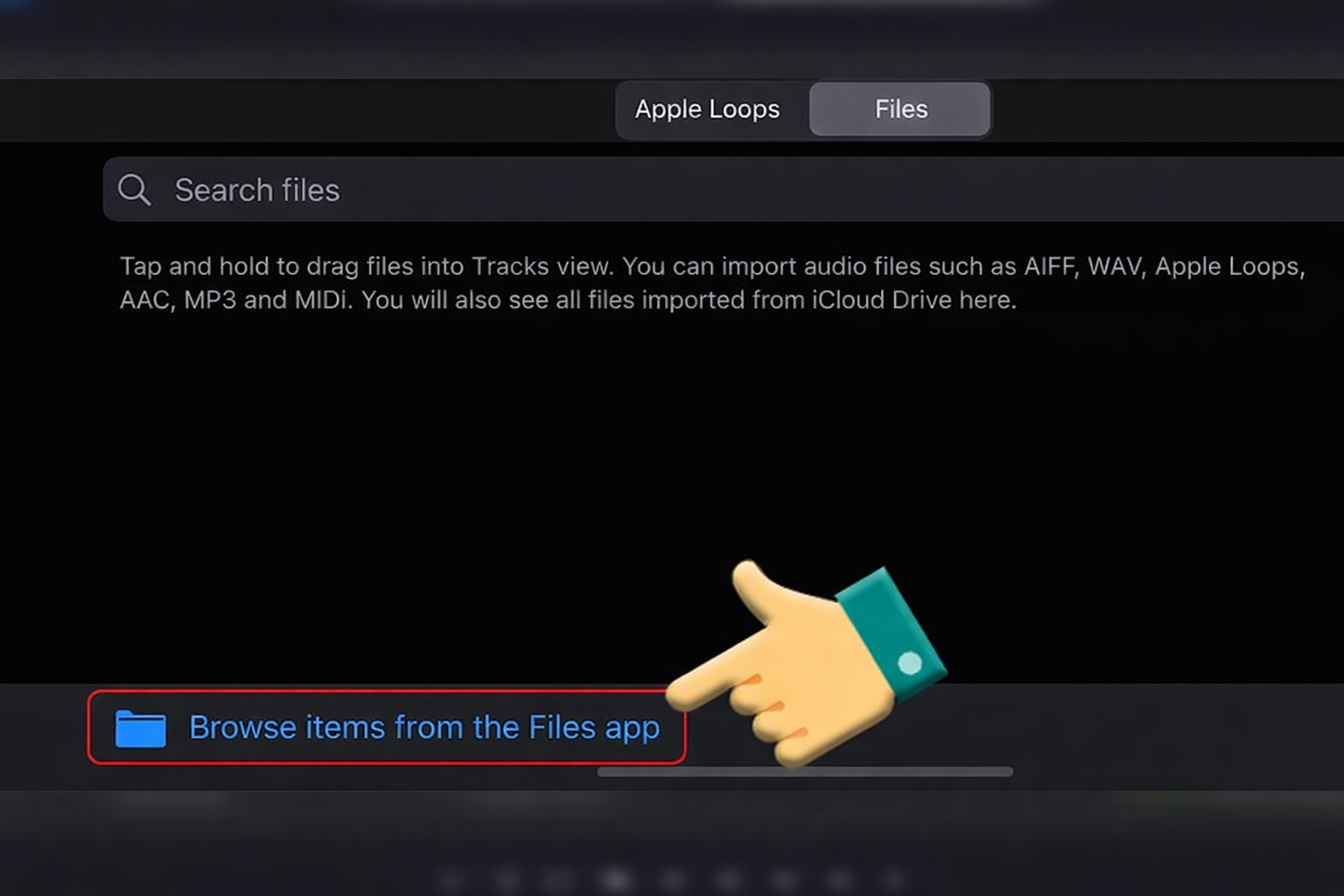
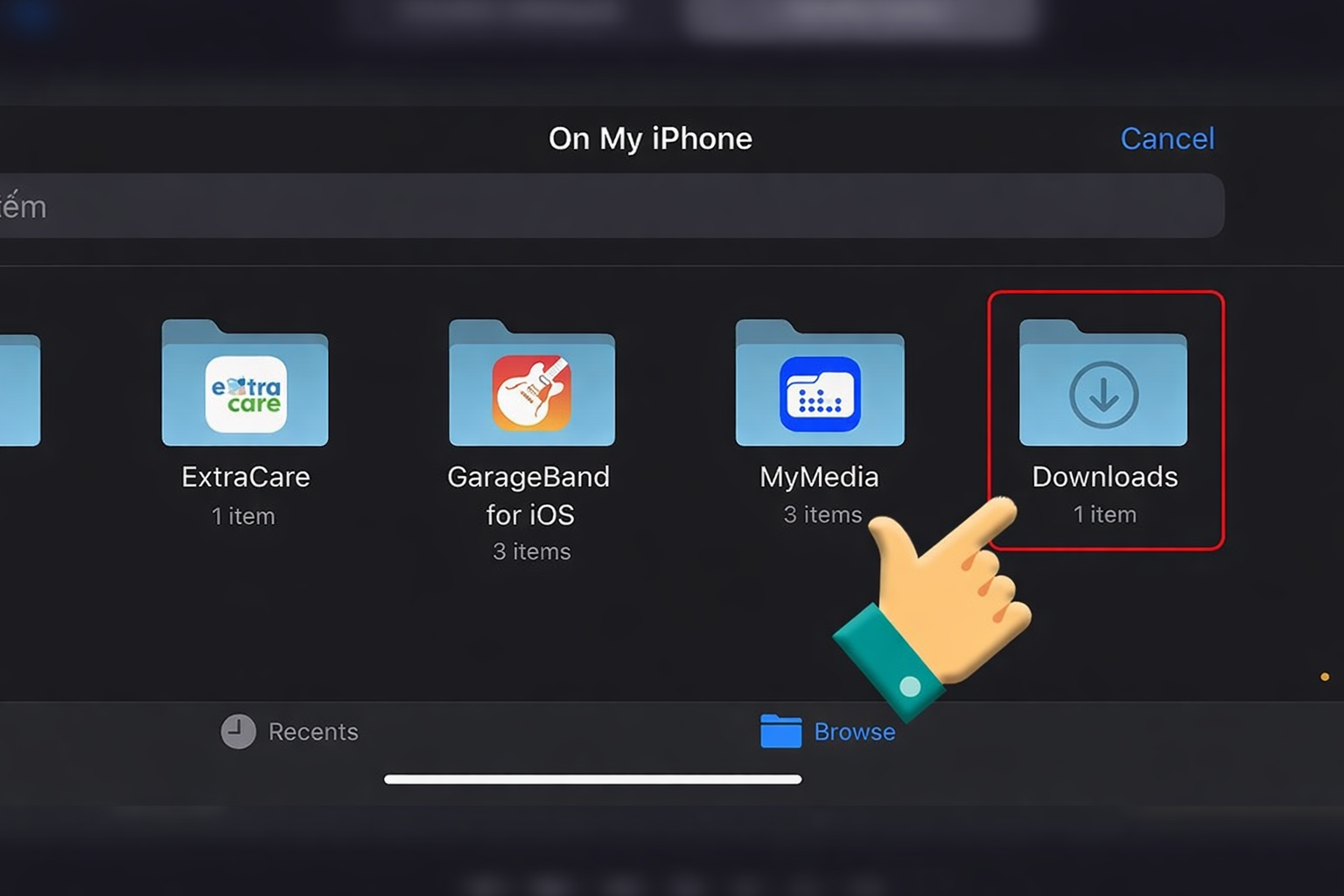
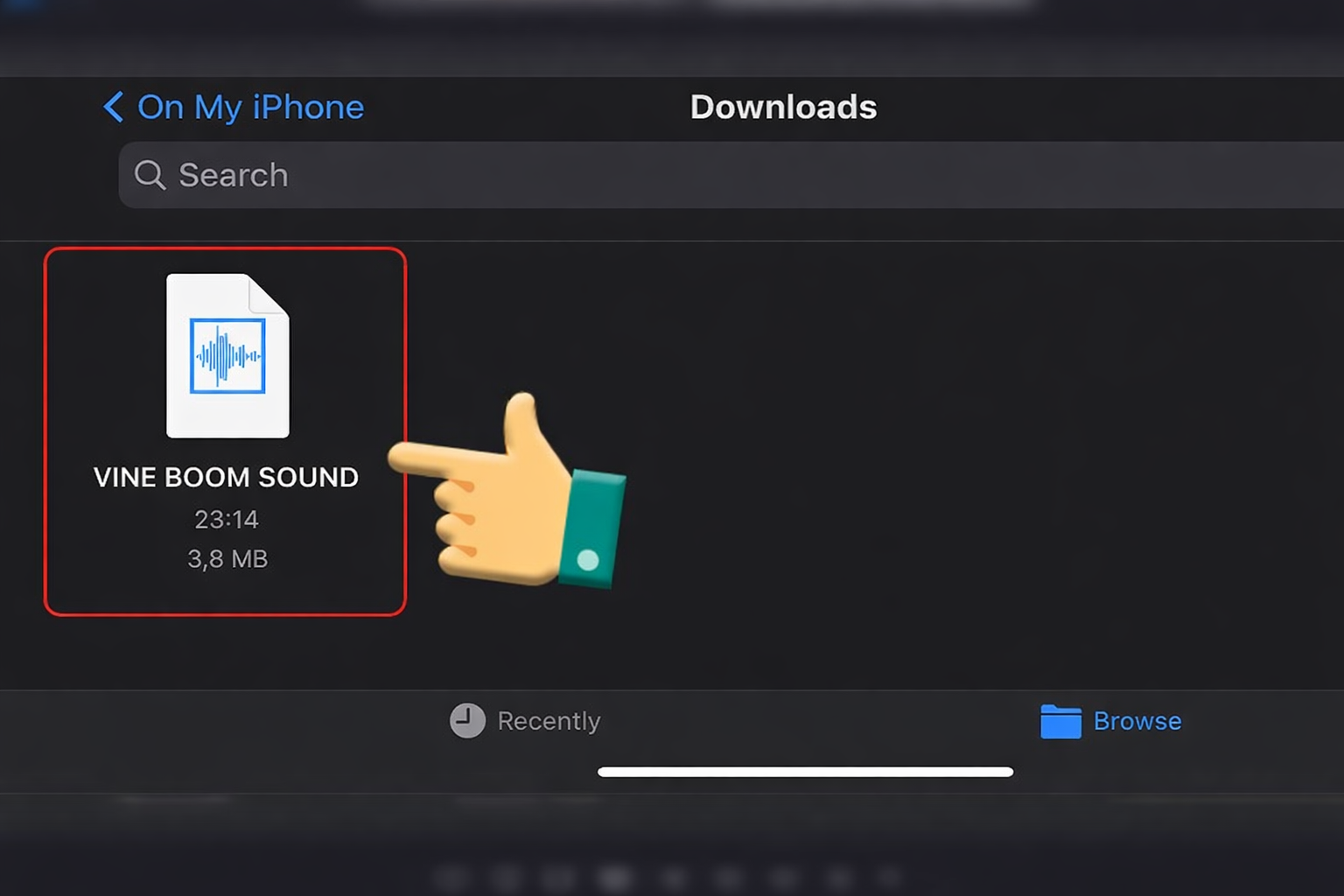
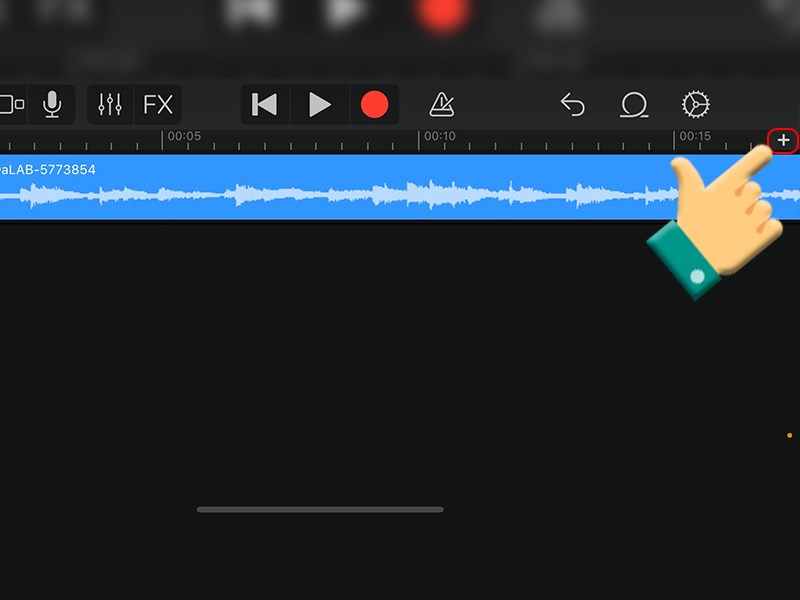
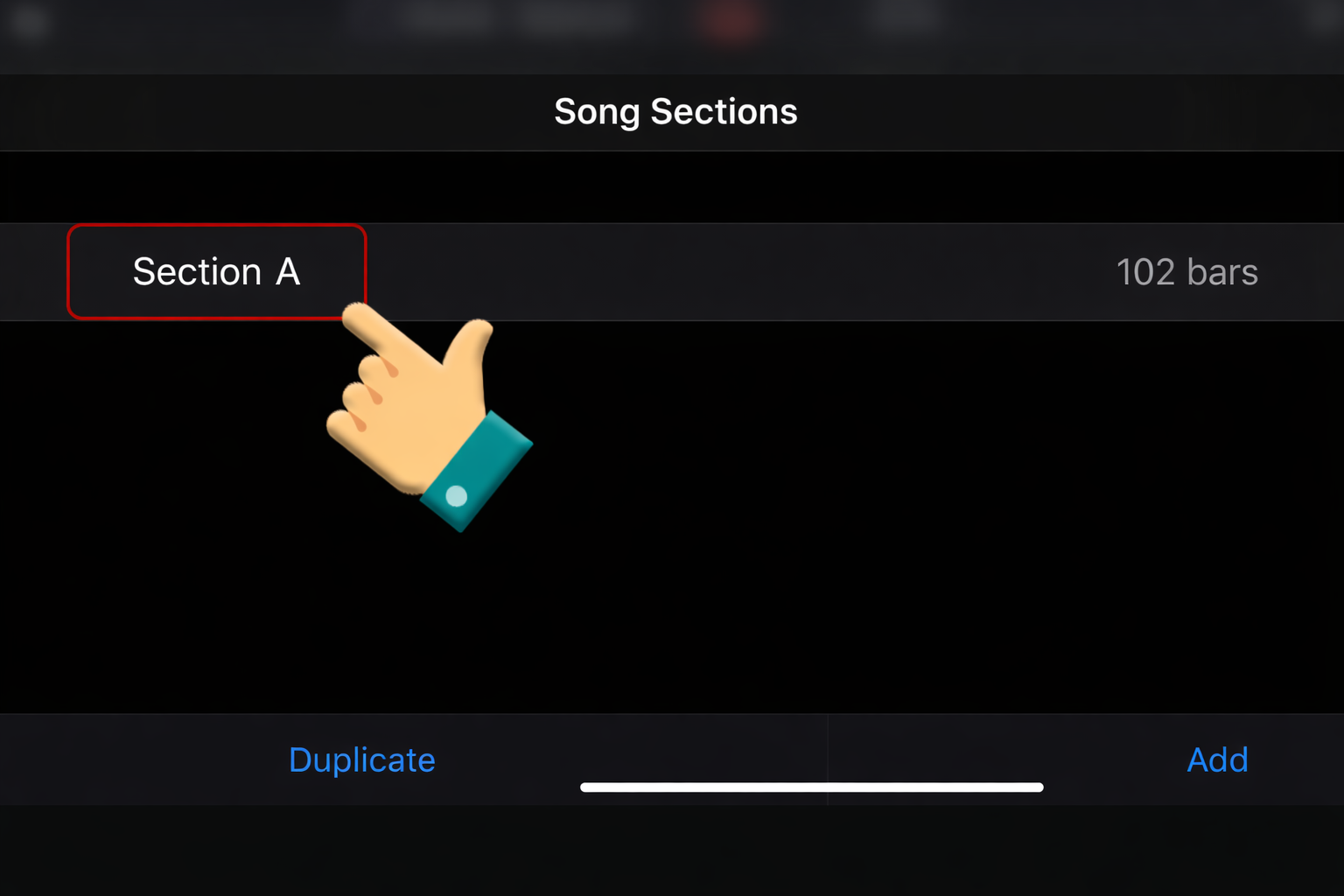
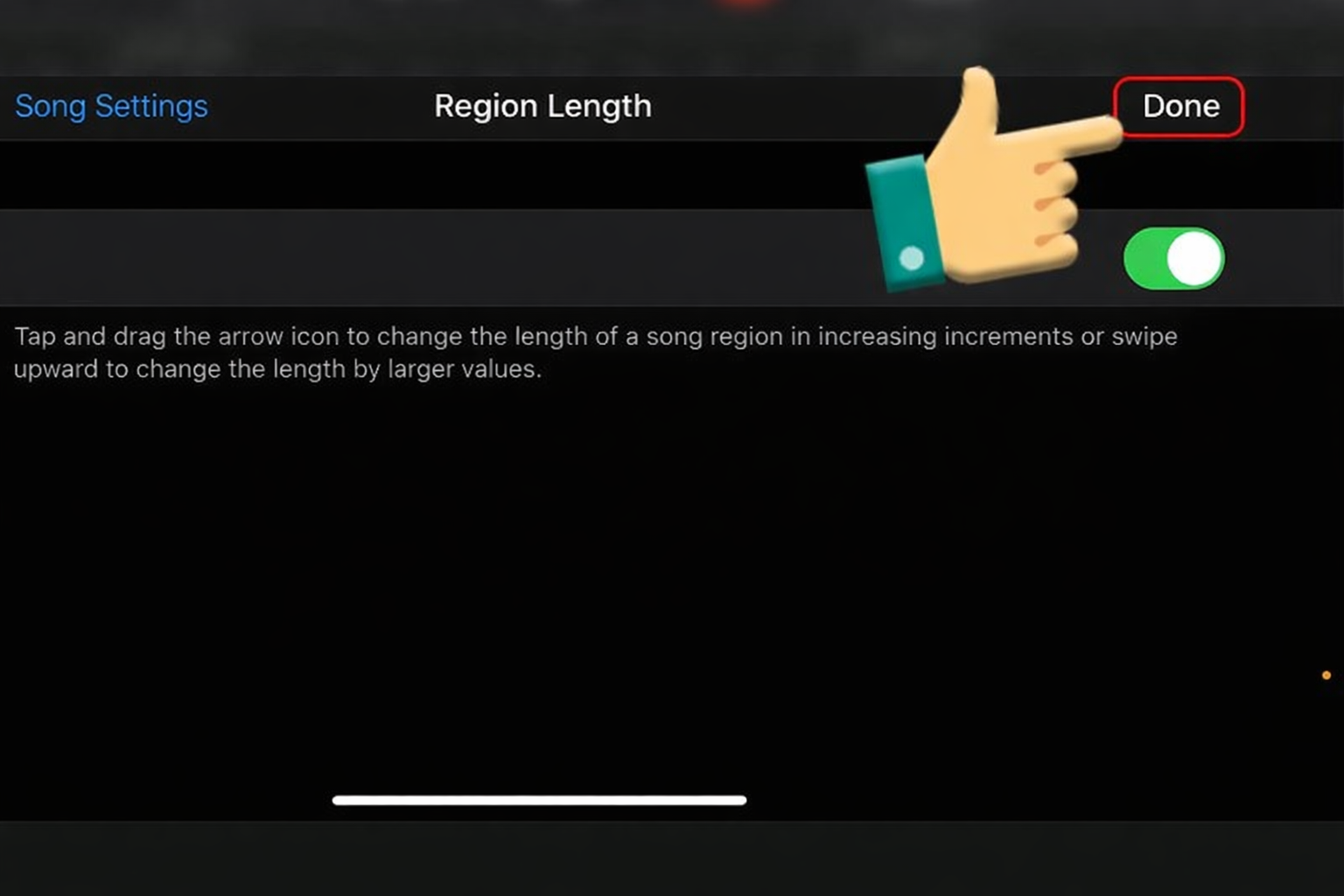
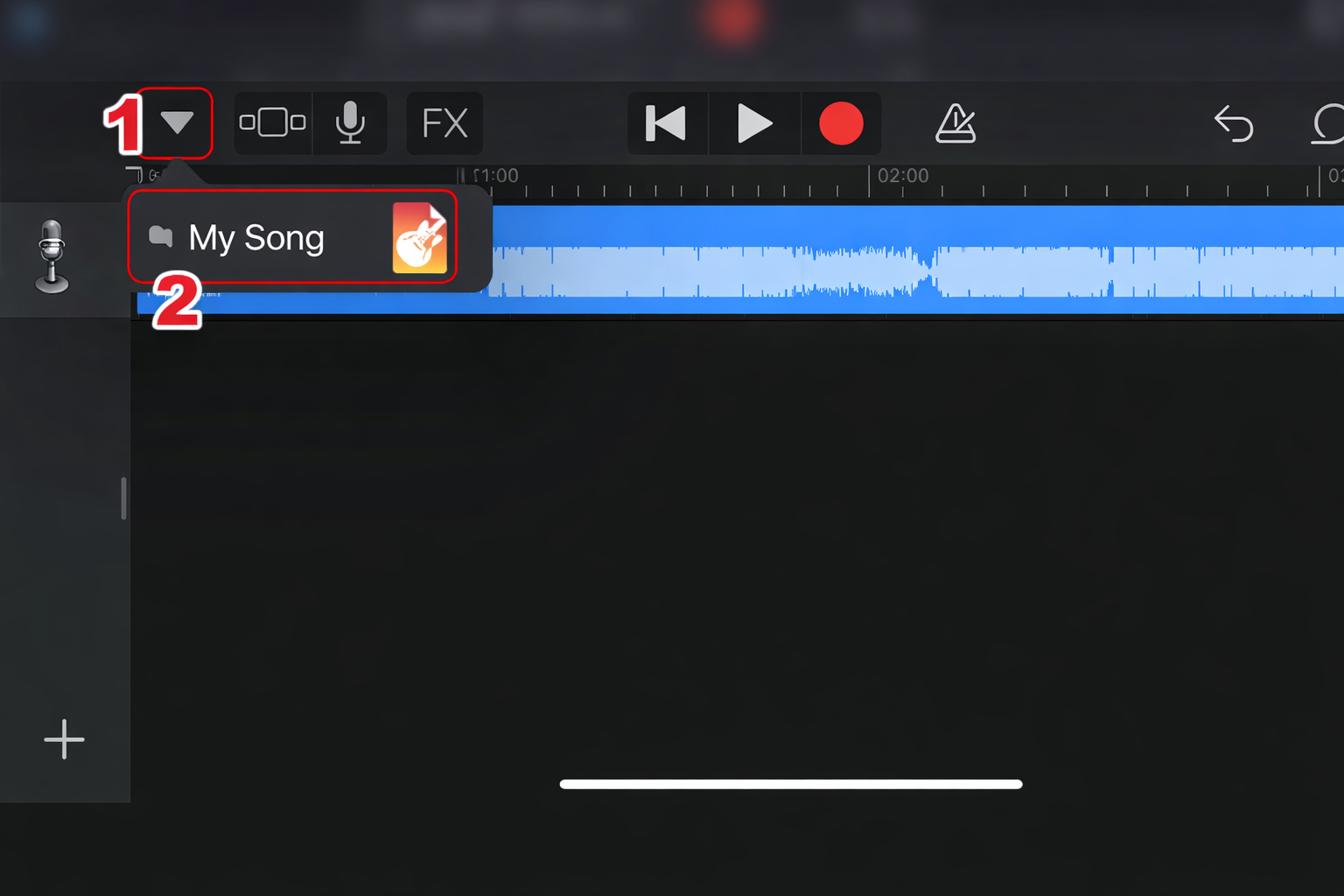
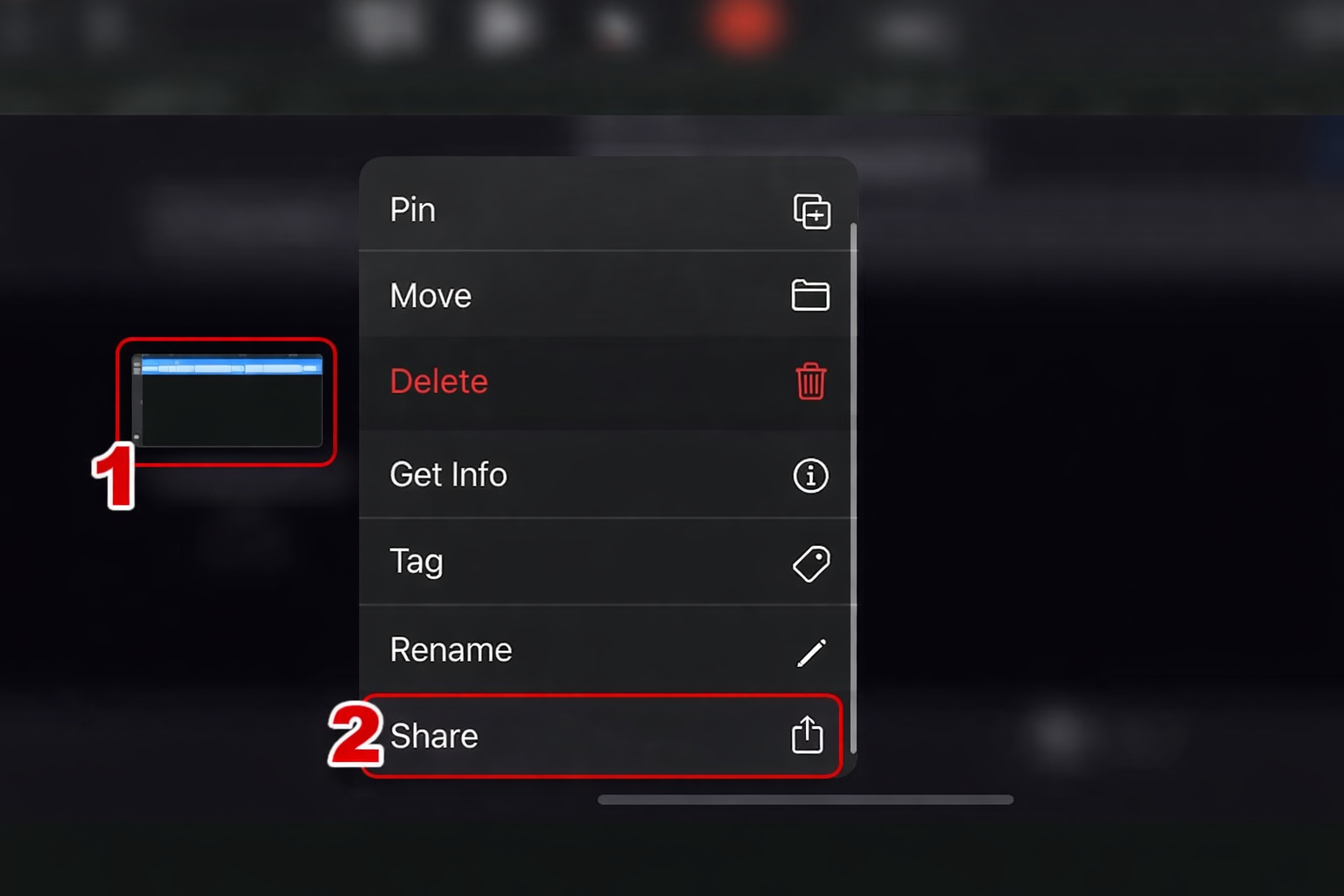
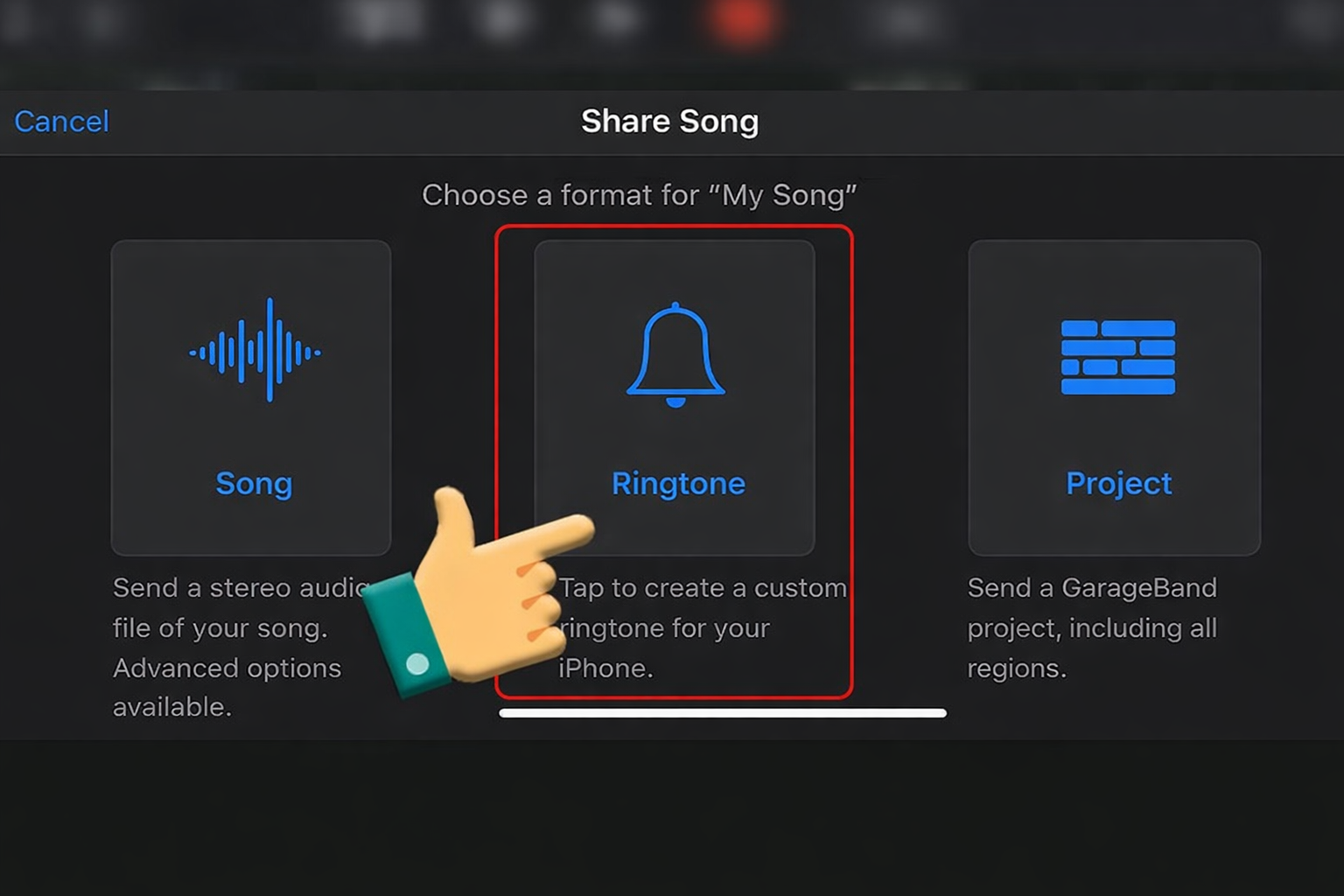
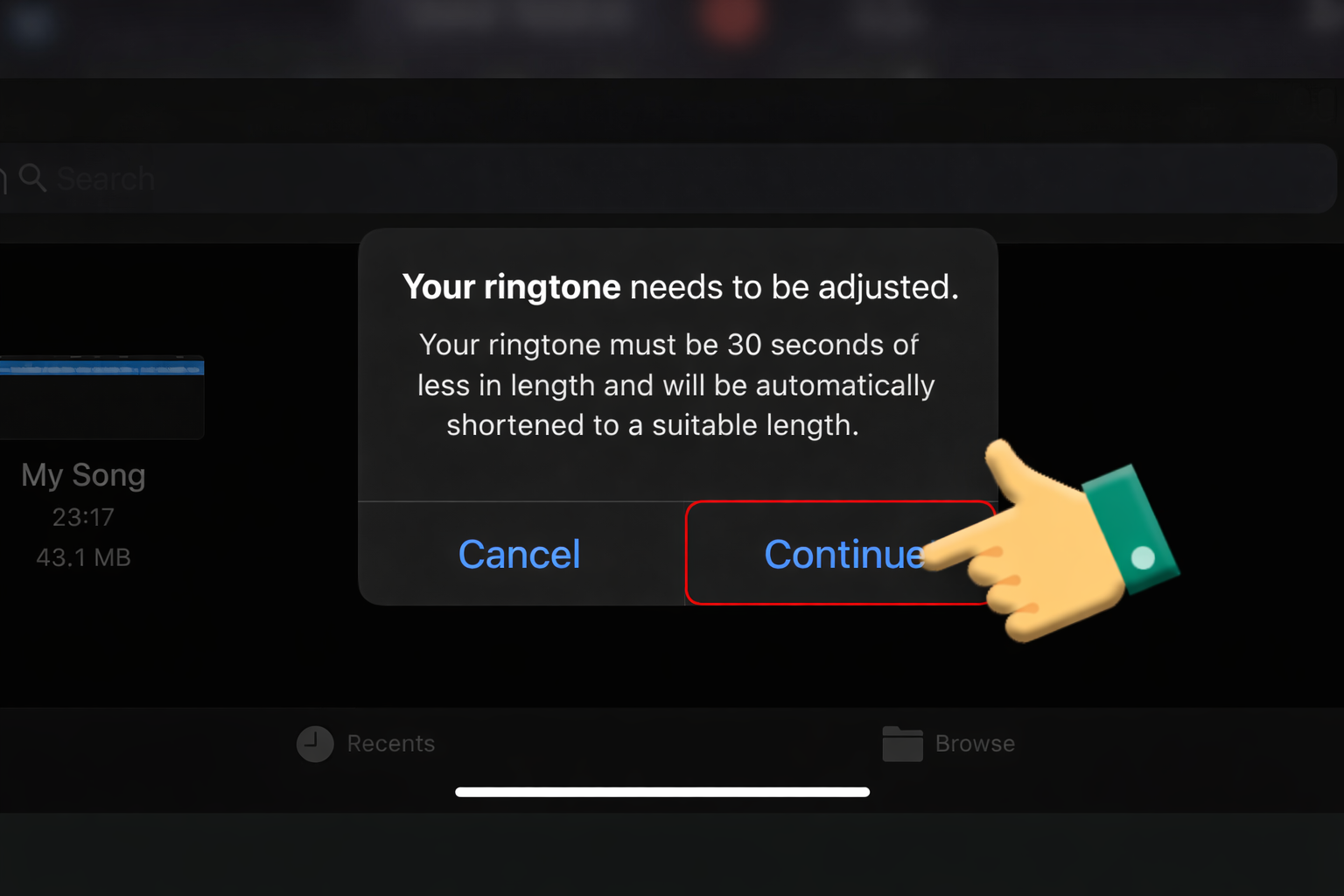
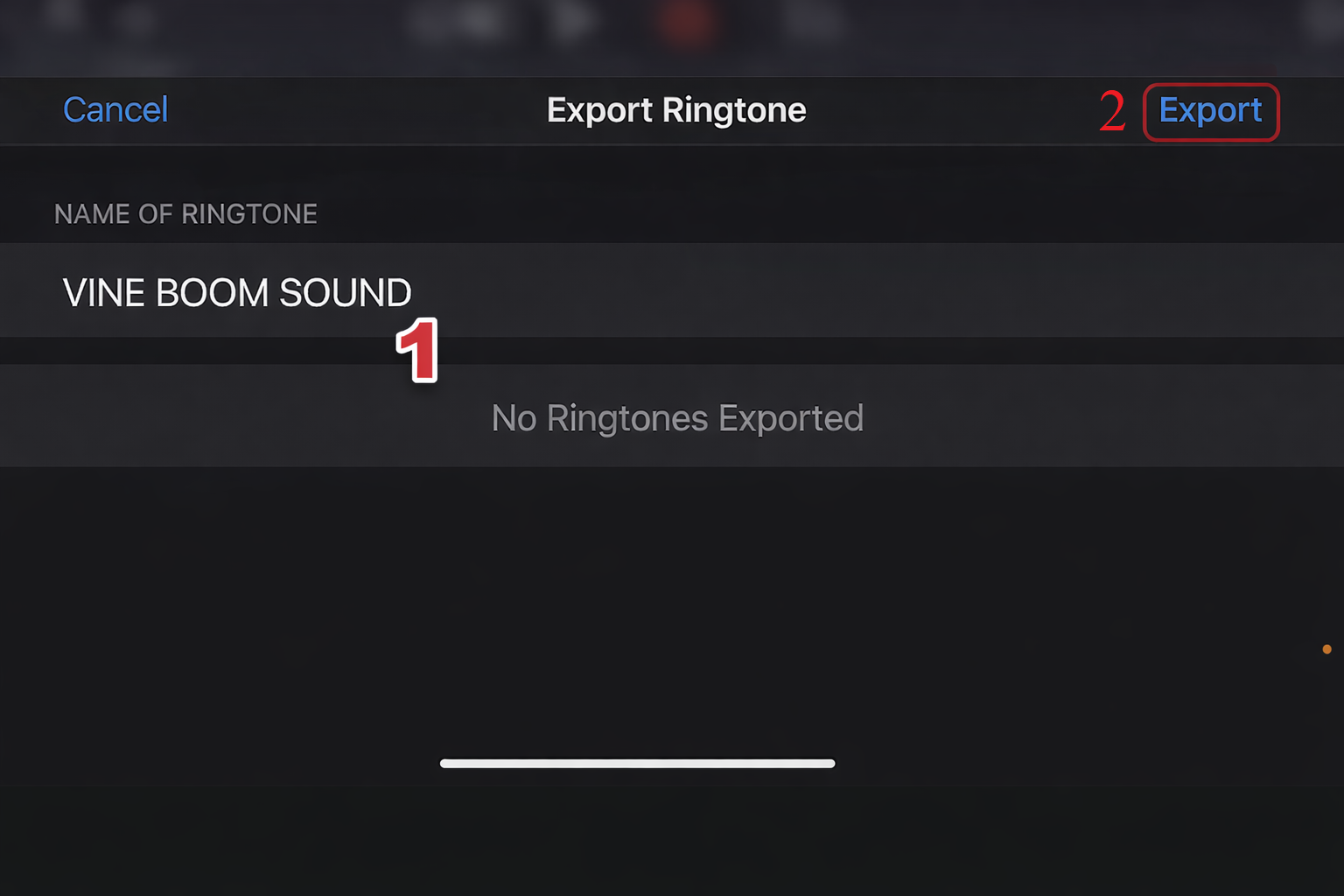
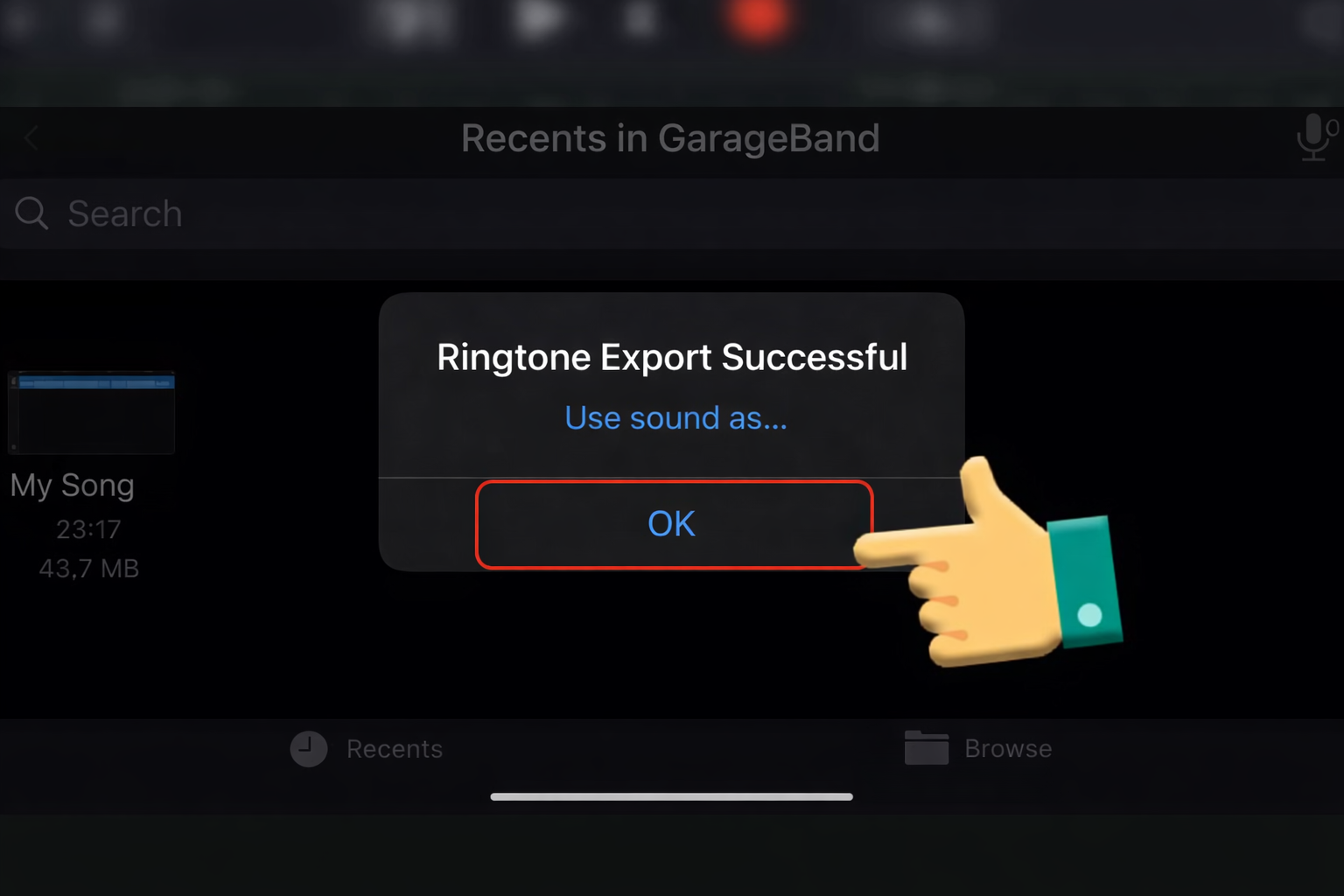
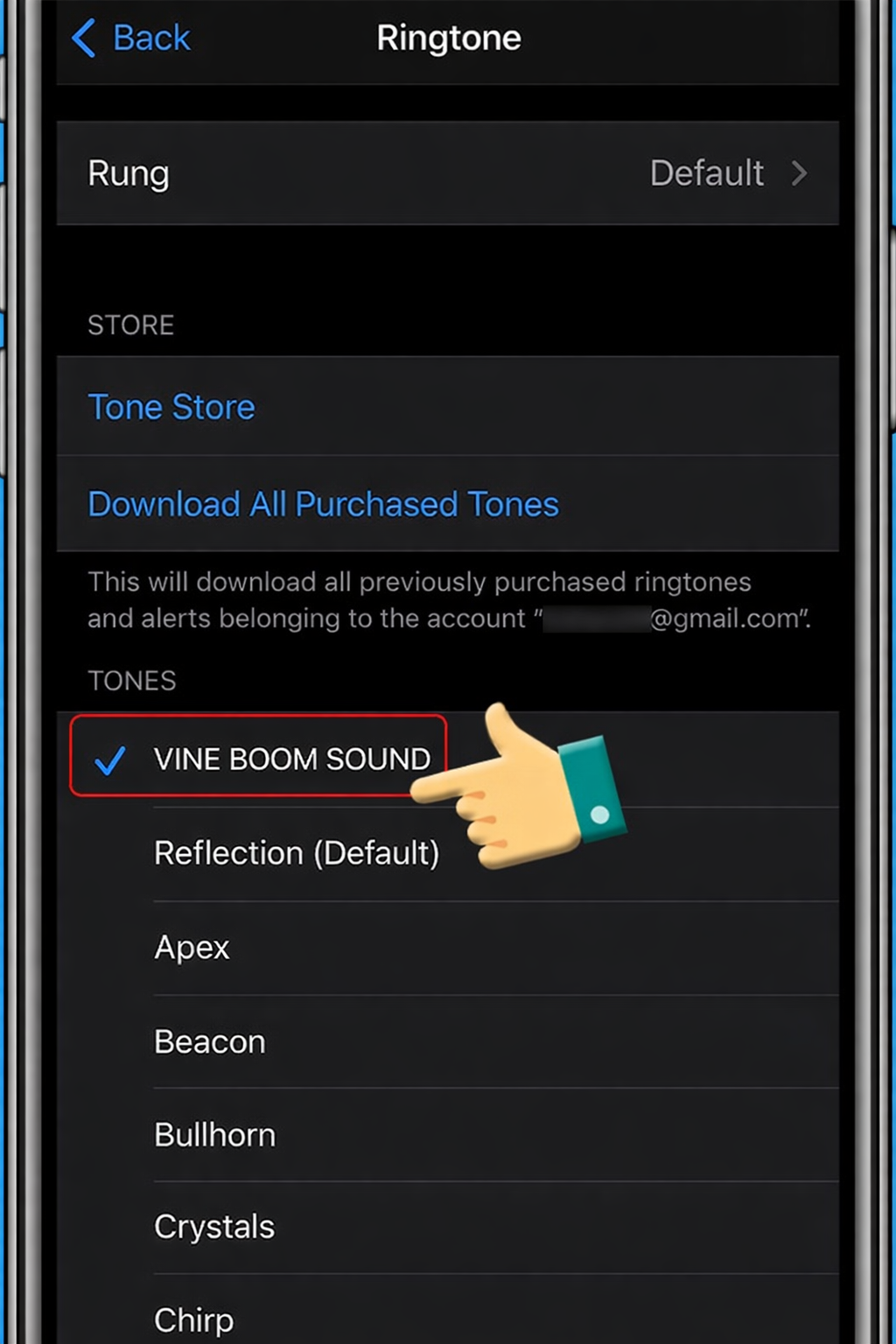
iPhone: Open the file in GarageBand, set the length to exactly 1 second, and export as “Alert Tone.”
5. VARIATIONS & REMIXES
| Variation | When to Use |
| Eco/Reverb | For “Dream-like” sequences or when something is “too good to be true.” |
| Distorted/Bass Boosted | For “Deep Fried” or chaotic memes where the surprise is overwhelming. |
| Slowed (0.5x) | When something goes wrong but you’re trying to stay positive (The “Sad Wow”). |
6. FAQ: RICH SNIPPETS
Is the Anime Wow sound copyright-free?
While the voice belongs to Eddy Wally, the short 1-second clip is widely used under “Fair Use” for parody and commentary. Most platforms like YouTube and TikTok will not flag it.
How do I get the “highest quality” Wow?
Avoid recording it from a video. Download a clean 24-bit WAV file to ensure the high-frequency “W” sound doesn’t crackle on high-end headphones.
What other sounds pair well with this?
The “Nani?!” (What?!) voice line, the “Kawaii Sparkle” chime, and the “Record Scratch” are the perfect cousins to this sound.